What's Dhan?
Dhan is a technology-led stock trading platform built for India's active market participants, from Super Traders who need speed and F&O capabilities to long-term investors focused on SIPs and IPOs.
Team & my role
|
1 - Product Manager |
1 - Product Designer (Myself) |
|
Charts Engineering Pod |
|
What shipped
Why charts matter?
Charts are where traders spend most of their time. It's how they read the market, spot a trend, and decide when to buy or sell. If the chart is slow, cluttered, or feels off, the whole app feels off.
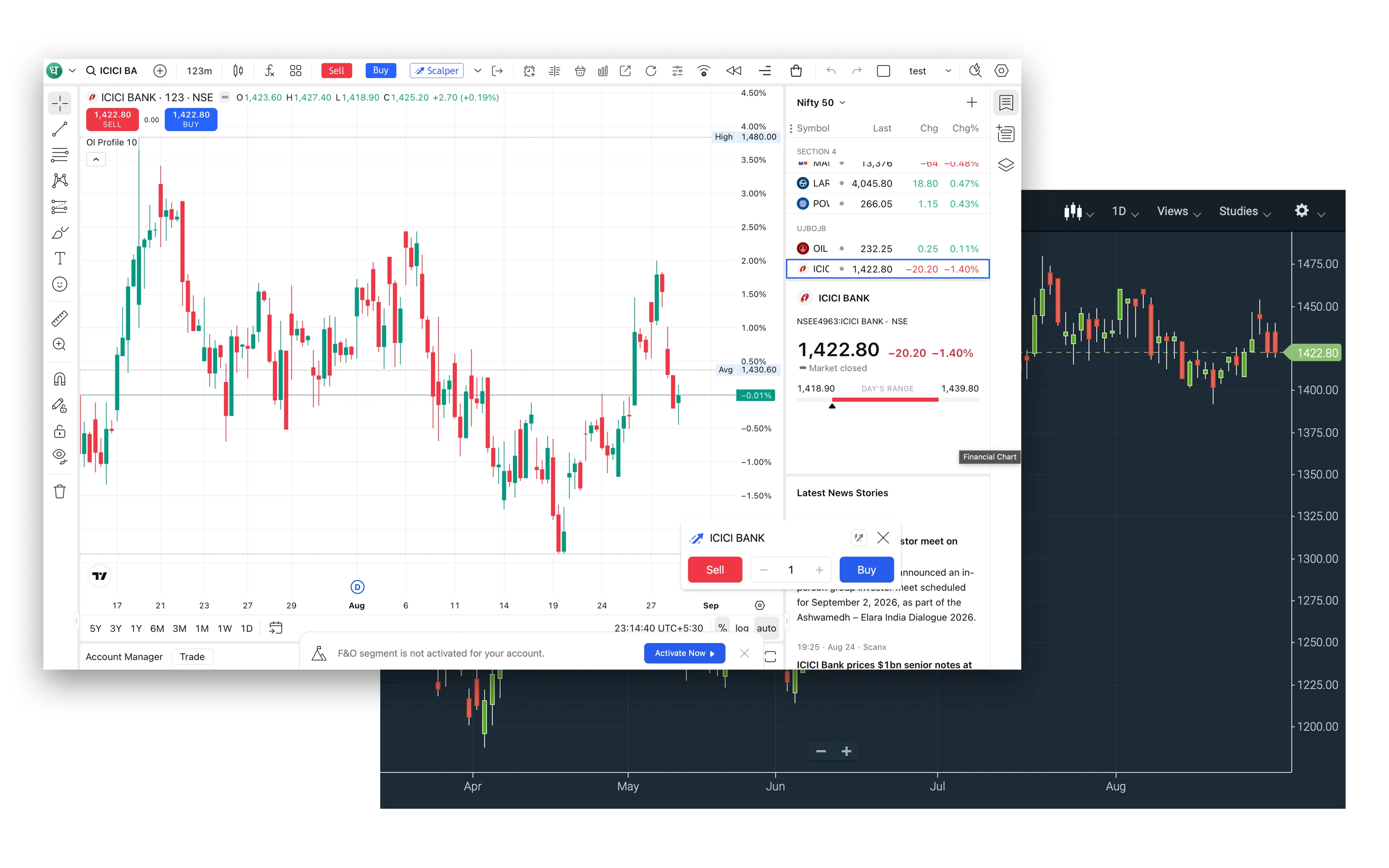
Until now, Dhan Web ran on TradingView and ChartIQ, both rented from third parties. Dhan decided to ship its own charts as the default, with a switcher so traders can still pick TradingView or ChartIQ if they want.
Owning the chart means owning the most important surface on the product, without taking anything away from traders who love their existing setup.
What's the problem statement?
There was no shared foundation for anything chart-related. Every chart-adjacent feature was rebuilt from scratch by whichever squad picked it up, so the surface drifted, shipping was slow, and accessibility slipped through the cracks.
Why does this problem exist?
The root cause is architectural. Dhan built on top of two vendor charts, so there was never a reason to invest in a first-party chart layer. Moving off them without a design system would just recreate the same fragmentation in-house, on Dhan's own engineering budget.
Why should Dhan solve for it?
- For the user: A chart that feels native to Dhan Web, with trader-first interactions like inline orders that vendors don't ship out of the box.
- For the business: Kill the recurring licensing bill, unblock the roadmap, and turn charts from a rented surface into a differentiator.
Who are we solving for?
- Traders. From first-day retail users to F&O pros running multi-chart layouts with 6 indicators.
- Engineers. The Charts Pod and adjacent squads consume the system to ship chart-adjacent features faster.
- Product & Design. A shared system means new chart features ship in weeks, not quarters.
What boundaries did we design within?
- Native to Dhan Web. Same tokens, same type, same interaction grammar. No seam between "the app" and "the chart."
- Preserve TradingView muscle memory. Toolbar order, shortcuts, cursor behavior, anything a trader does without thinking, stays put. Zero relearning.
- Zero existing foundation. Every candle color, crosshair, and axis label had to be defined from scratch.
What are the non-negotiables?
- Familiar by default. High-frequency actions work exactly like TradingView. Novelty is earned, not imposed.
- Native to Dhan. Every token inherits from Dhan Web. One product, not two.
- Density with clarity. Dense without becoming noise.
- Themeable from day one. Light and dark parity, never a phase-two.
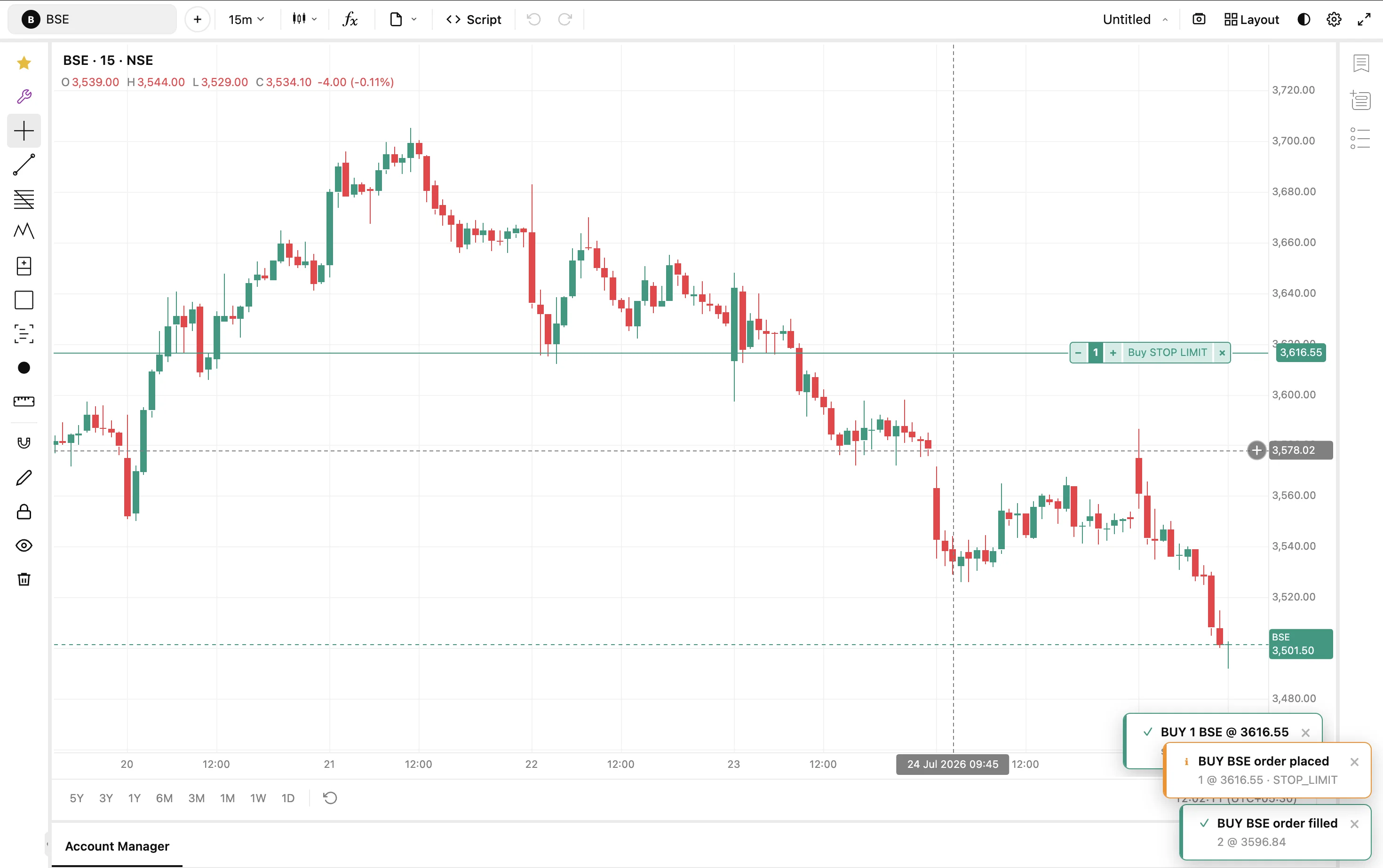
- Chart-native ordering. Orders live on the chart, not next to it.
Tokens for financial data
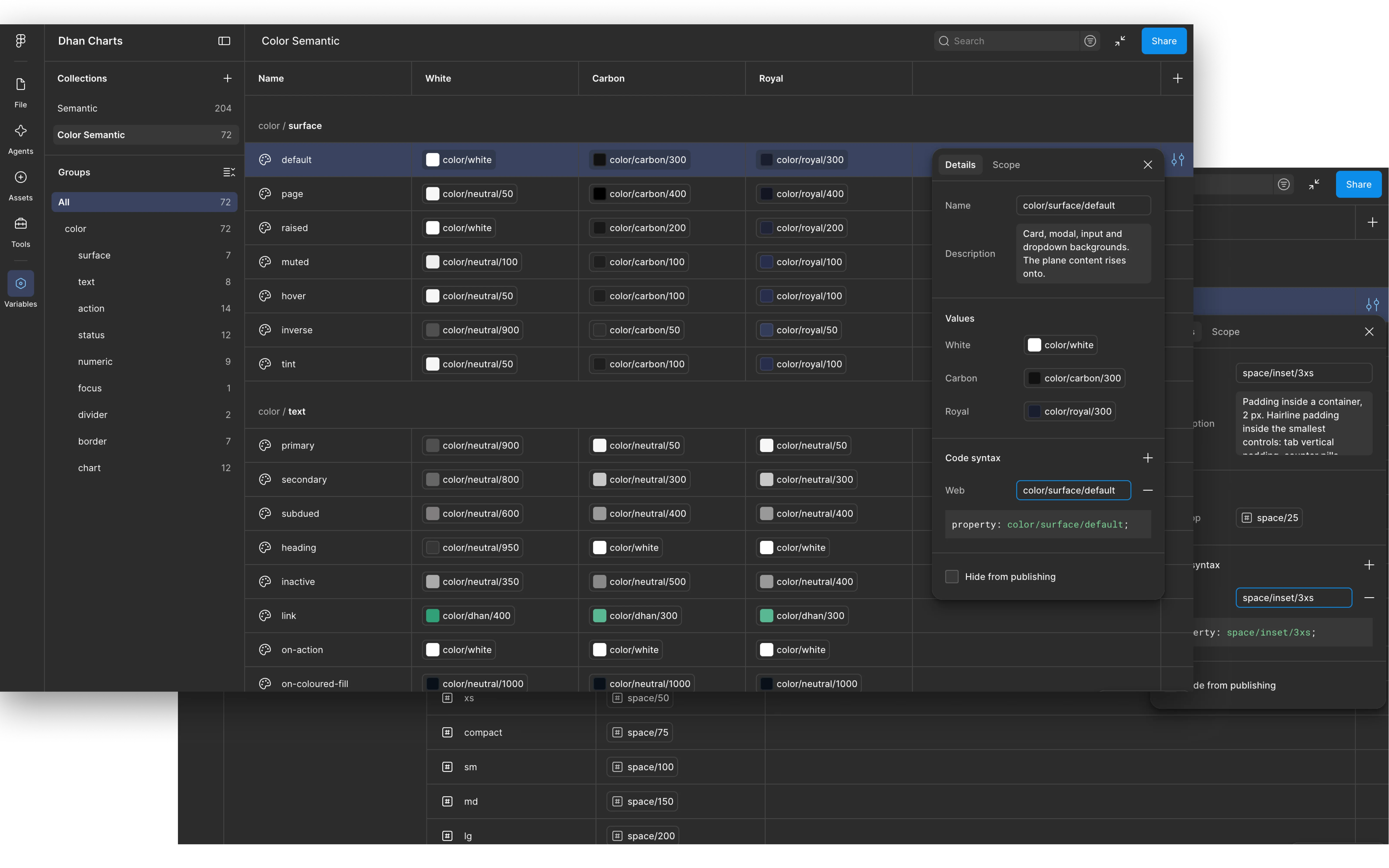
- Color. Semantic tokens for up/down, order states, and alert priorities, tuned for contrast in light and dark.
- Typography. Monospaced numerals for prices and PnL so digits align as the market ticks. Body type inherits from Dhan Web.
- Spacing. A tighter scale than the rest of Dhan Web, tuned for trader density.
- Radius. A corner scale tuned for chart panels and dense toolbars, softer than Dhan Web so dense surfaces don't feel boxy.
- Icon size. Fixed size steps for toolbar and inline icons so glyphs align optically at any density.
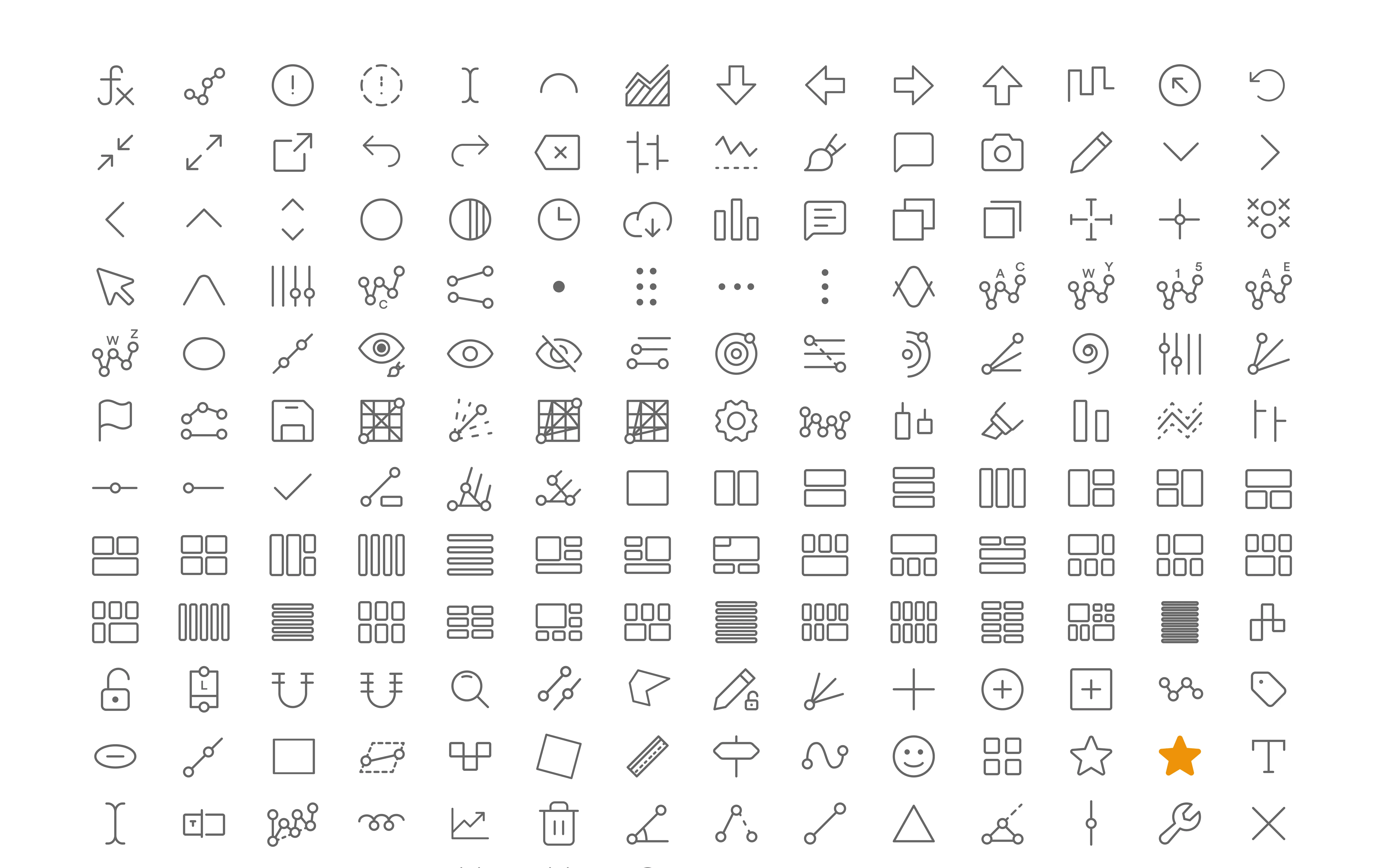
225 icons, drawn from scratch
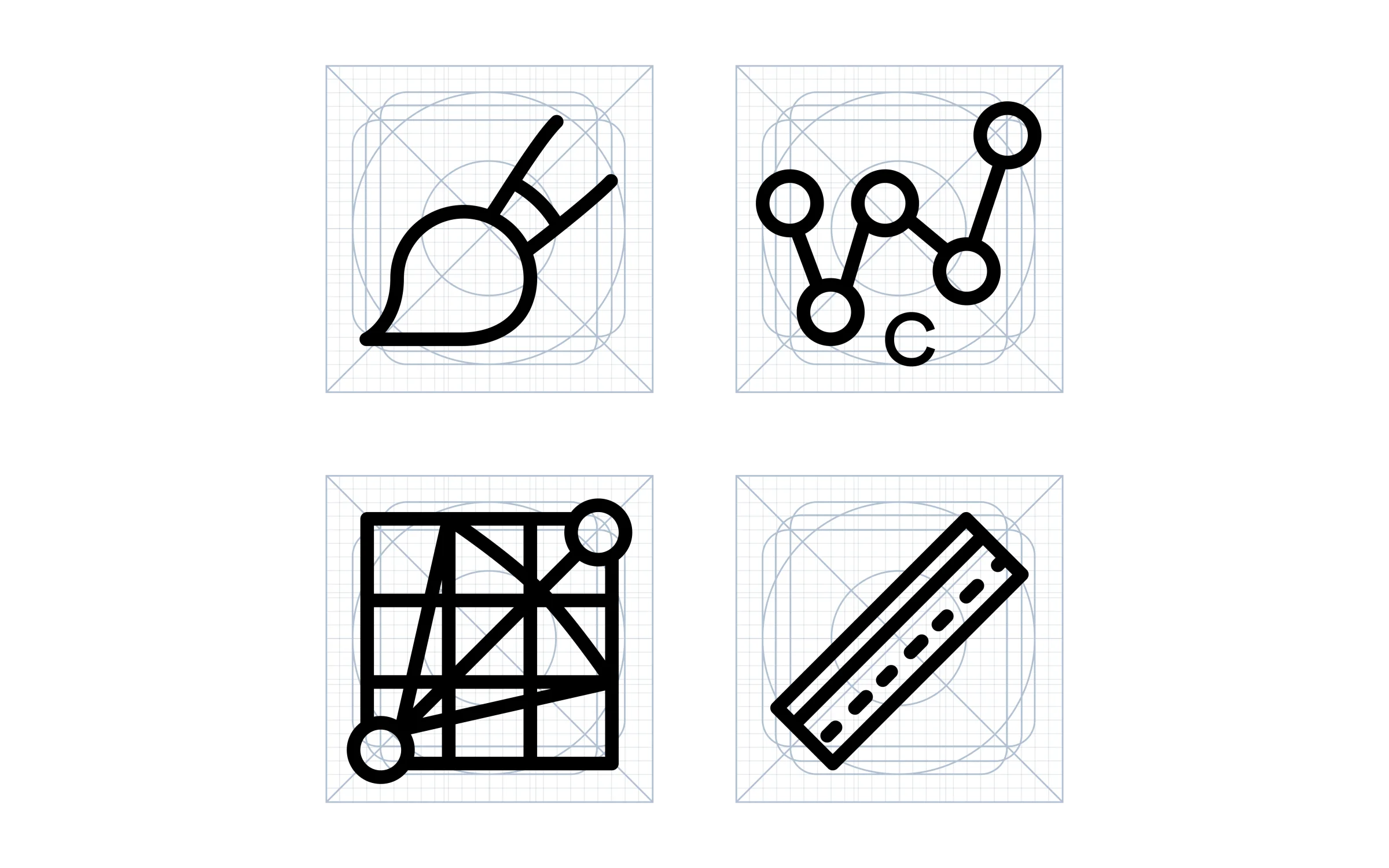
- 225 custom icons spanning drawing tools, timeframes, chart types, indicators, and toolbar controls.
- Drawn on a shared grid with consistent stroke, radius, and optical size, so they sit evenly at any density.
- Match TradingView-trained expectations at a glance, carry the Dhan visual language up close.
- Ships as a single versioned library the Charts Pod pulls from, no one-off requests, no drift.
62 building blocks, one contract
- Every block is named and structured the same way in design and in code, so engineers build exactly what was designed.
- One table system powers four data-heavy screens, and the order panel matches TradingView control for control, so traders have nothing to relearn.
- The chart offers 19 chart types and 92 drawing tools.
Button
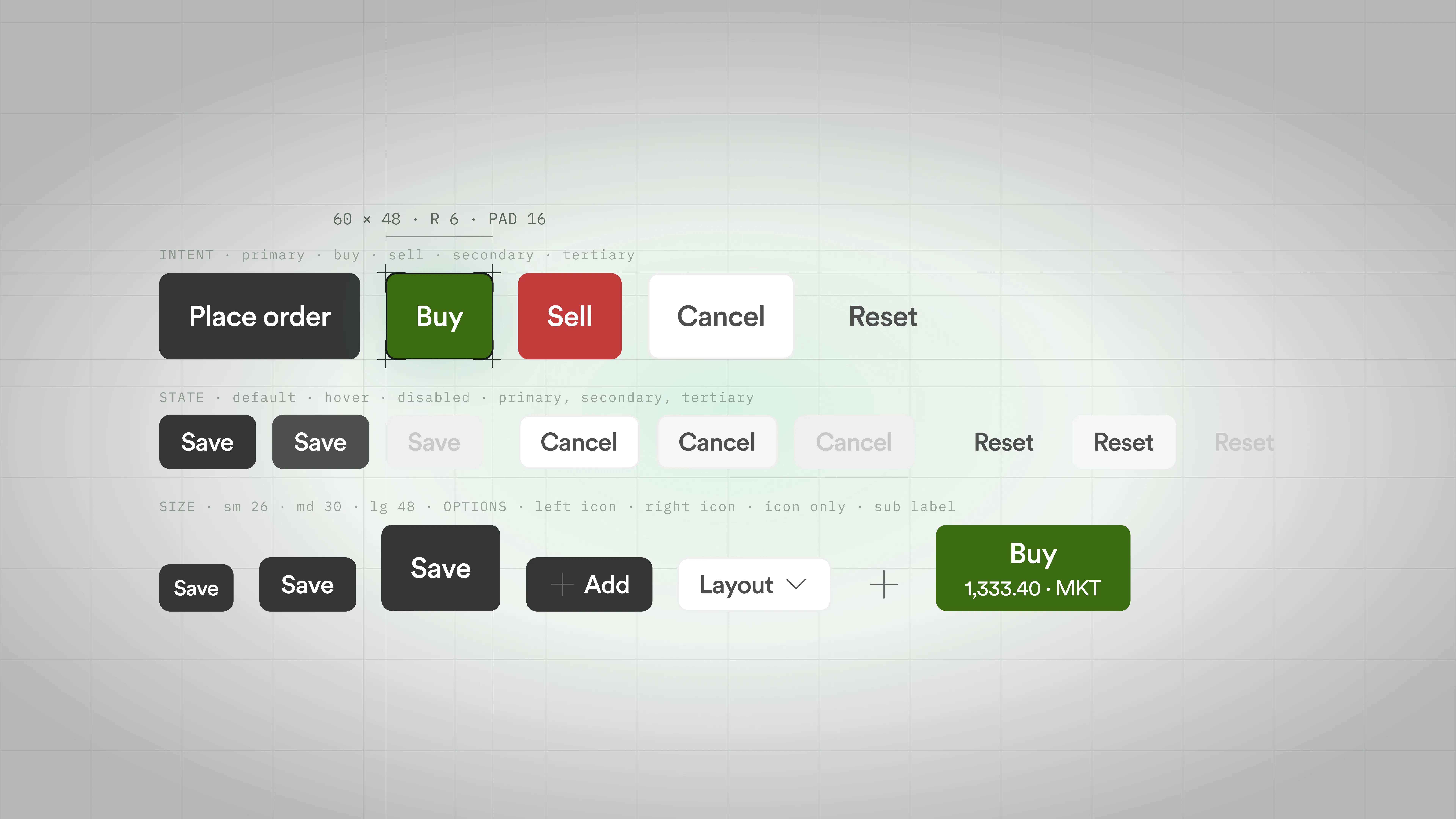
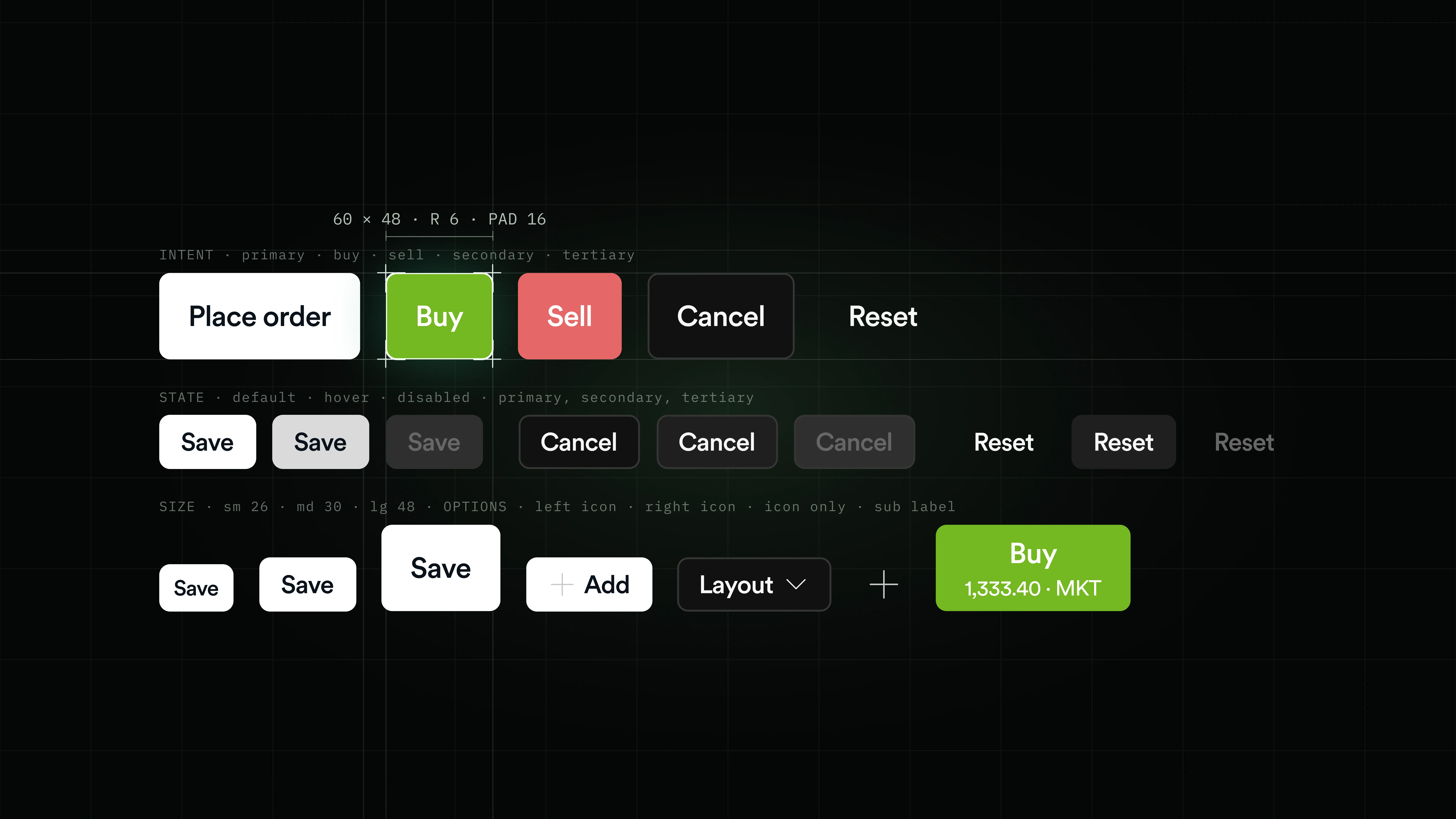
- Every action from Place order and Buy/Sell to Cancel and Reset, sized sm to lg with icon, sub-label, and dropdown options.
- Powers order panels, dialogs, toolbars, and empty states, so every decision reads the same wherever it appears.
- Intent and state are baked into the token, so buy stays buy and disabled stays disabled without a designer policing it.
Badge
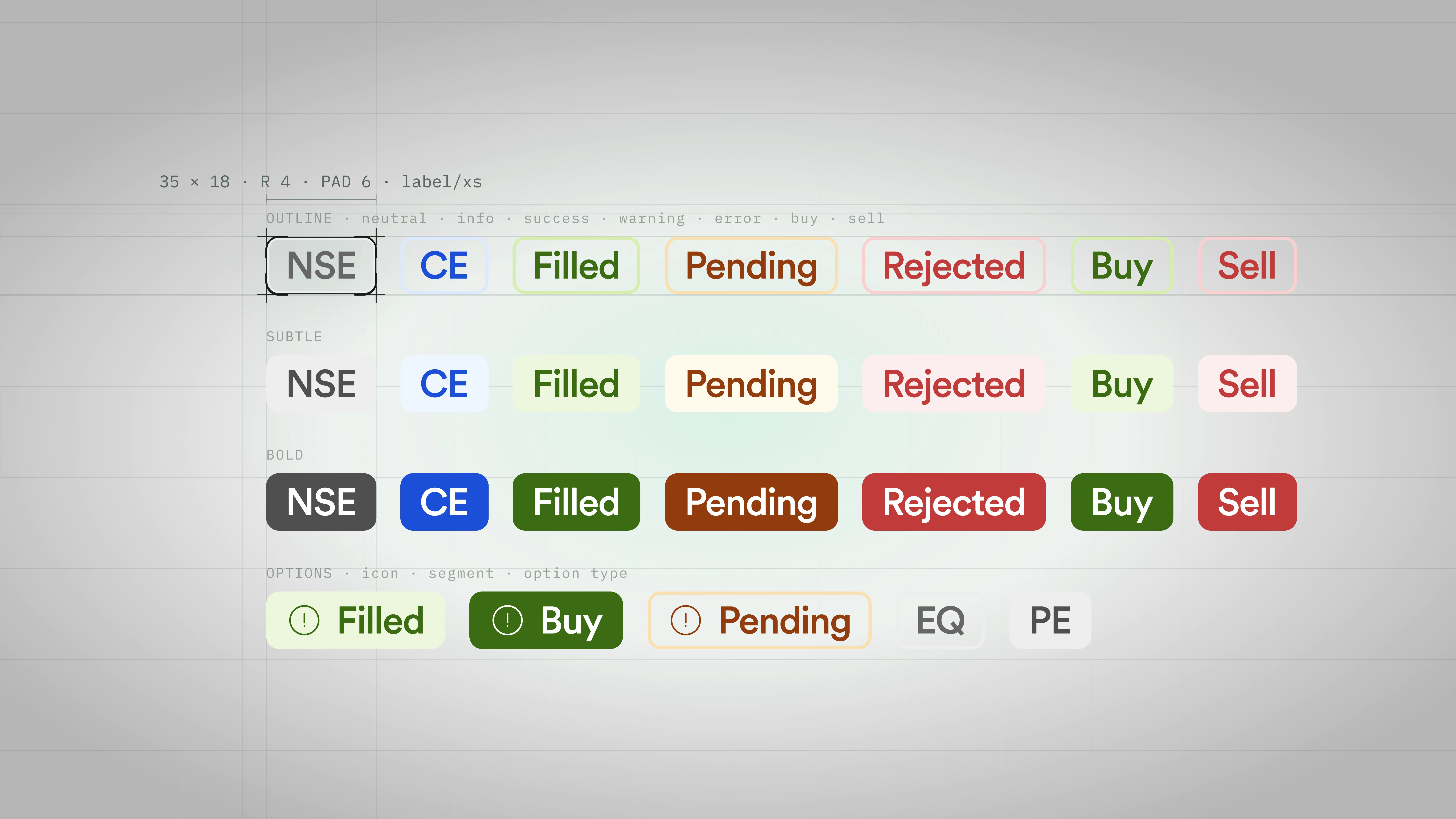
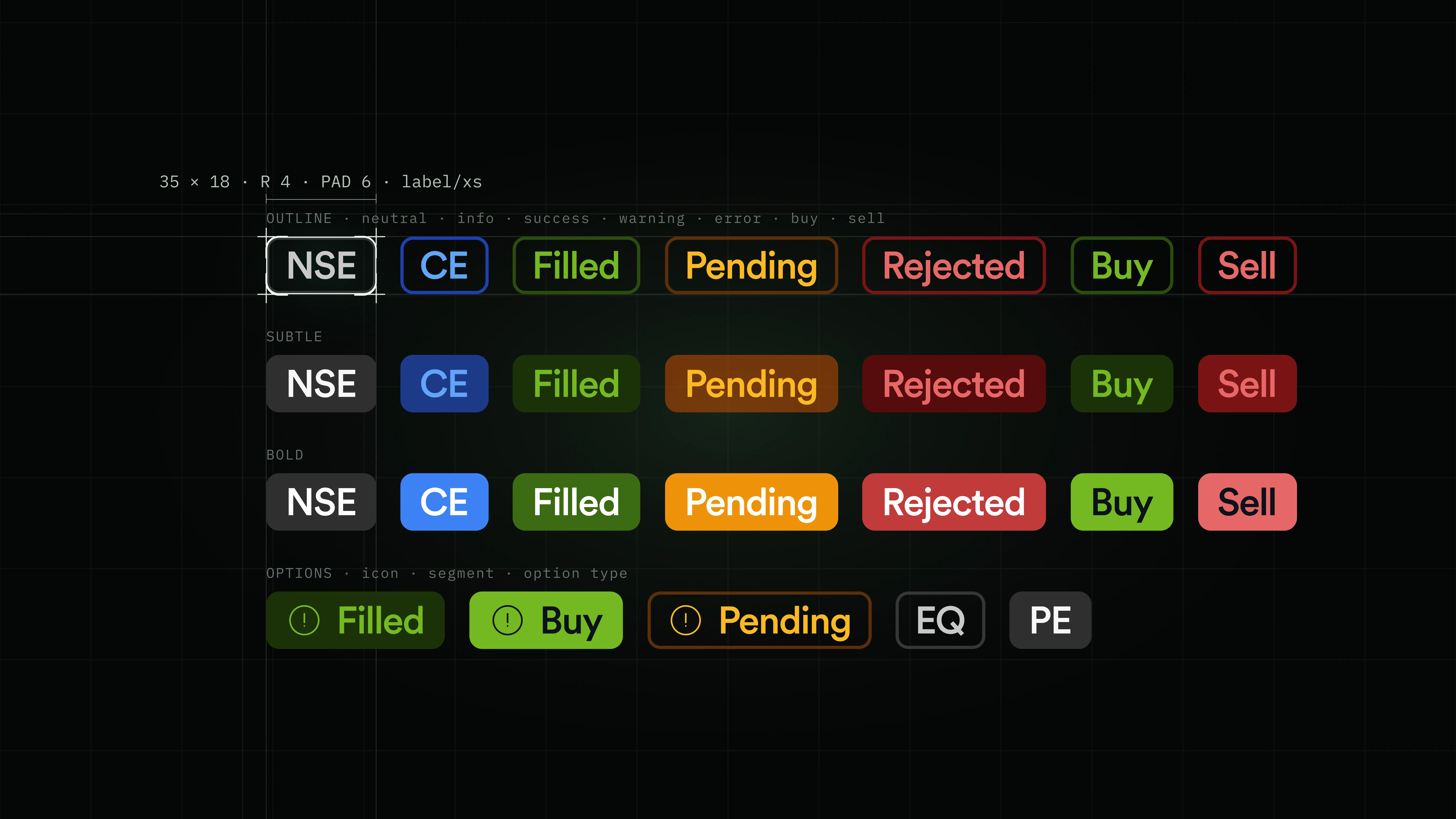
- Compact status pills for exchange, order state, and option segment across outline, subtle, and bold styles.
- Used inside tables, watchlists, order lists, and the option chain to tag each row without extra space.
- Semantic color lets traders scan Filled, Pending, Rejected, and Buy/Sell at a glance instead of reading text.
Controls
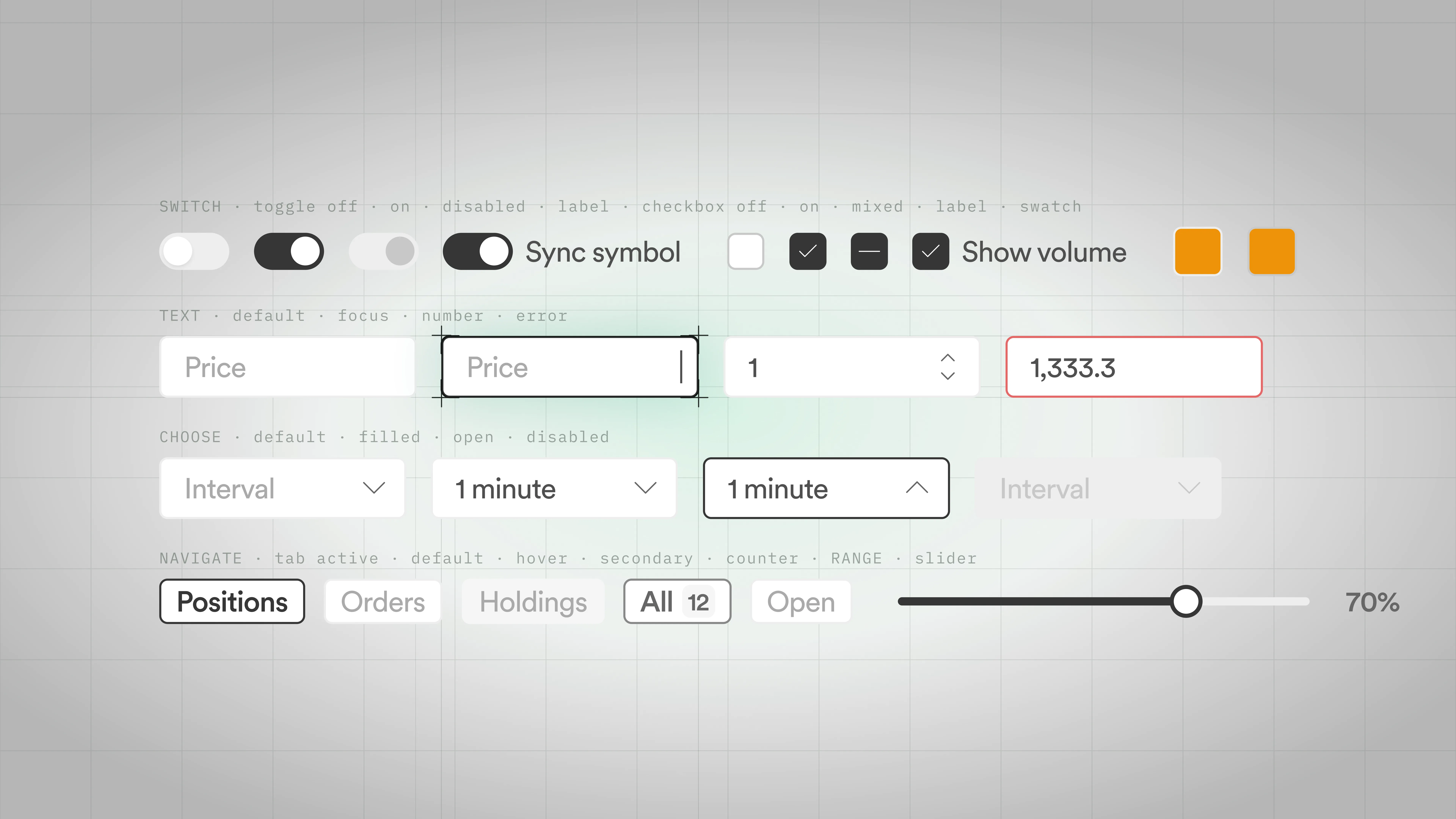
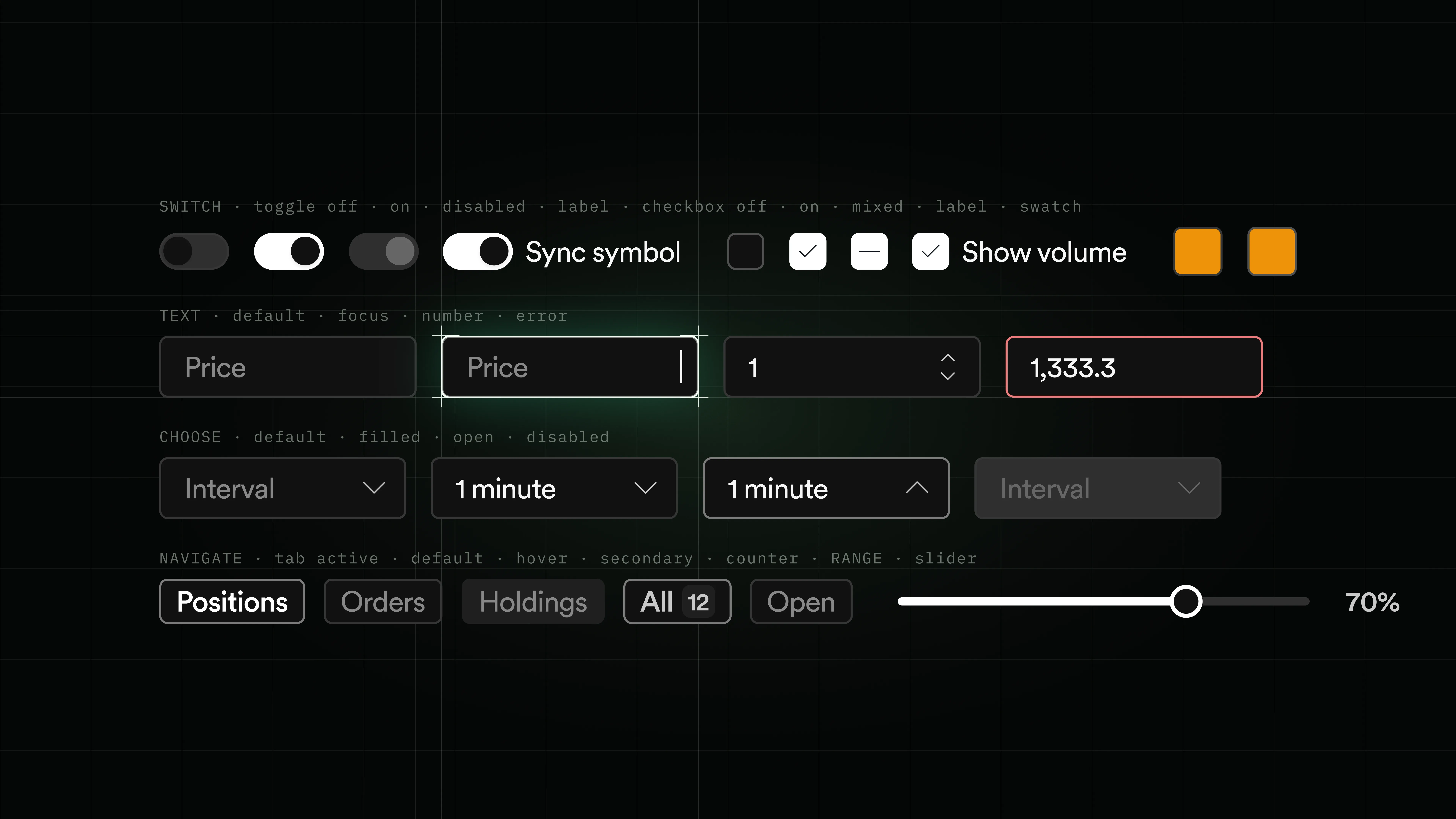
- Switches, checkboxes, text inputs, dropdowns, tabs, counter, and slider: every input the terminal needs.
- Drives settings dialogs, the order panel, chart configuration, and layout controls.
- Focus, disabled, and error behavior are shared across the set, so keyboard and screen behavior never diverges.
Feedback
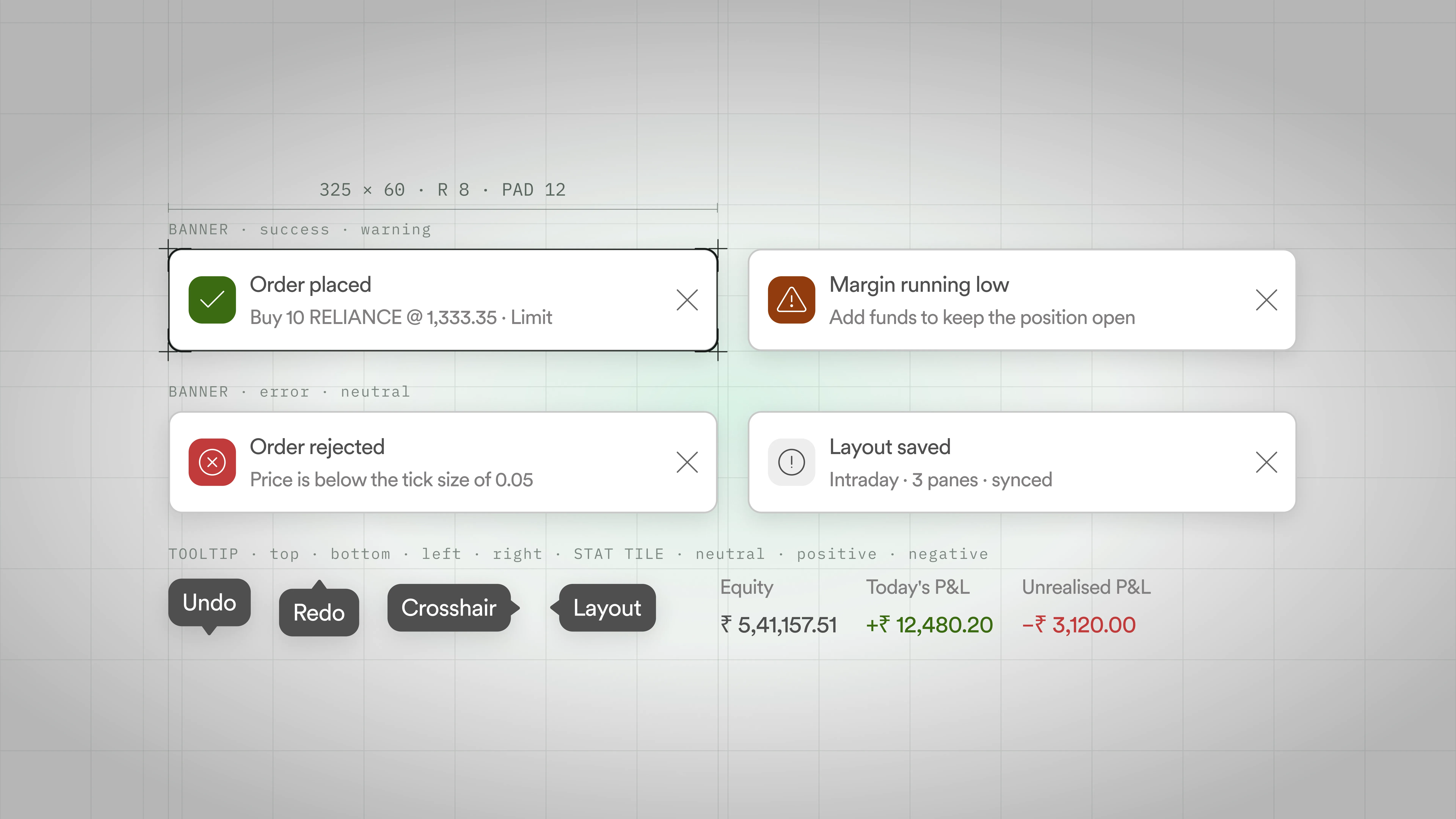
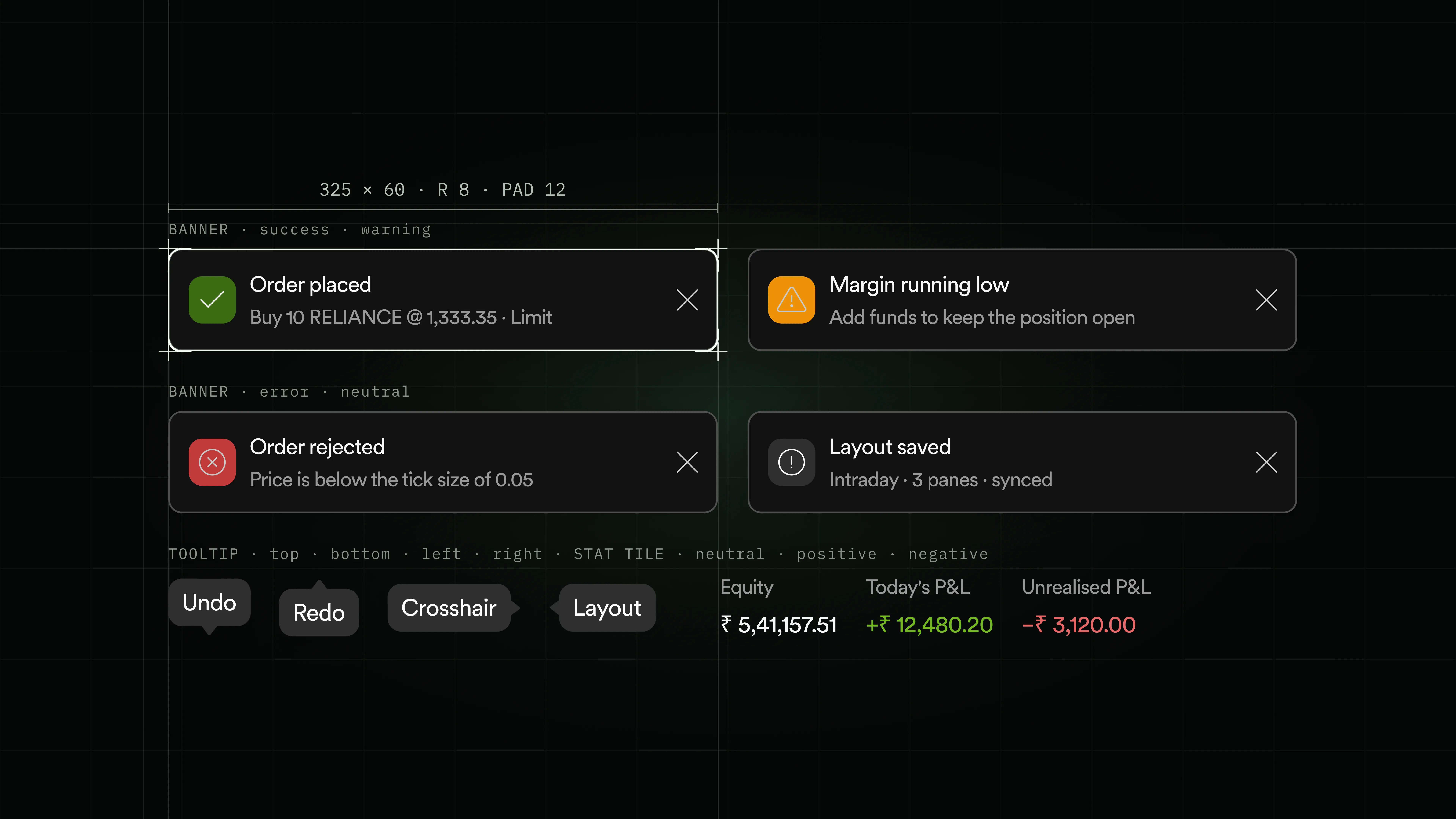
- Banners, tooltips, and stat tiles for confirmations, warnings, hints, and P&L readouts.
- Anchored to order placement, margin alerts, layout saves, header stats, and inline chart tooltips.
- Traders always know what happened and where they stand without leaving the chart.
Table
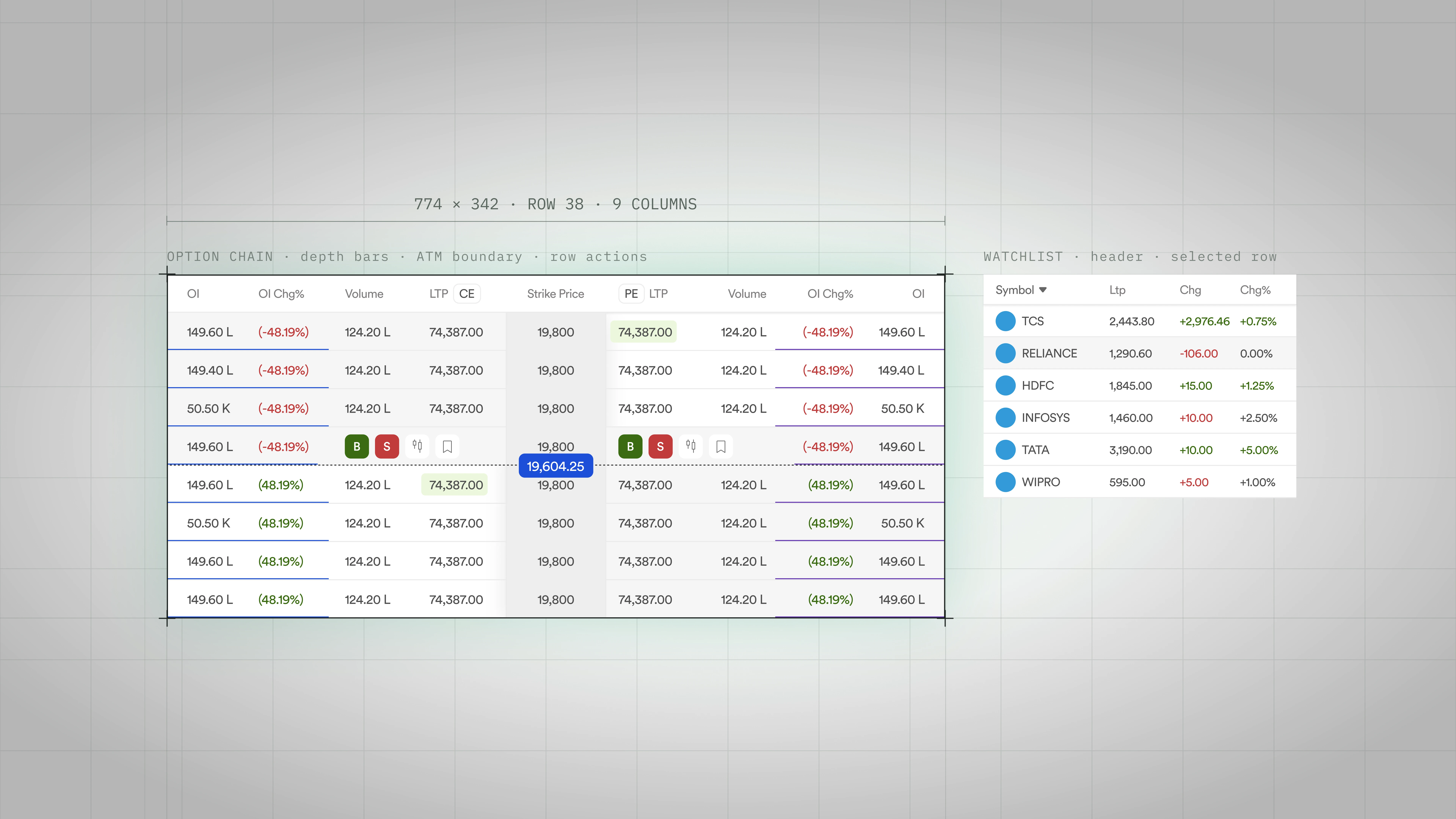
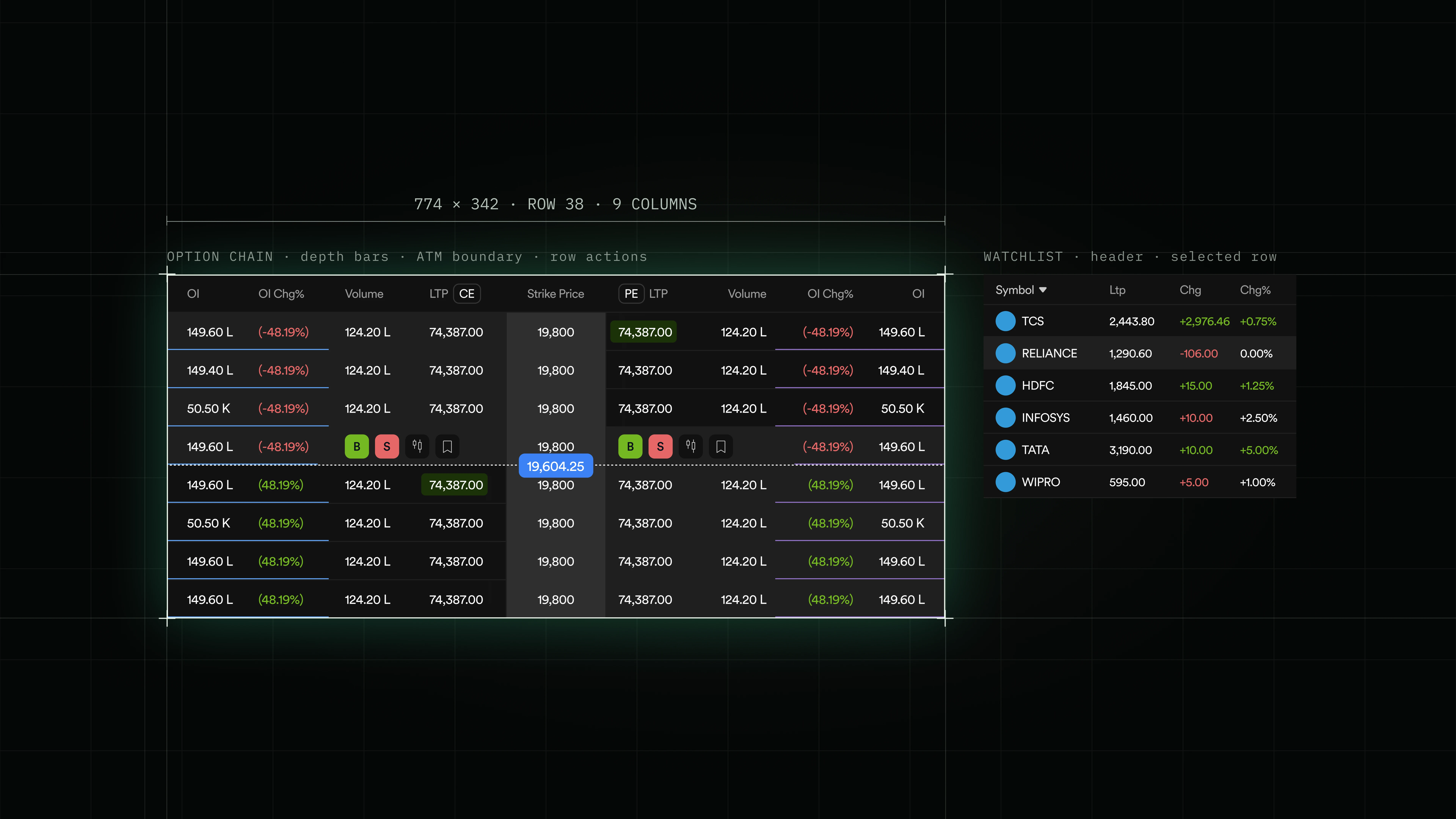
- One grid primitive: sortable header, sticky first column, depth bars inside cells, and inline row actions on hover.
- Drives the option chain, watchlist, positions, orders, closed positions, market depth, and historical data without a rewrite.
- Density scales from a 4-column watchlist to a 9-column option chain, so traders learn one interaction and it holds everywhere.
Order panel
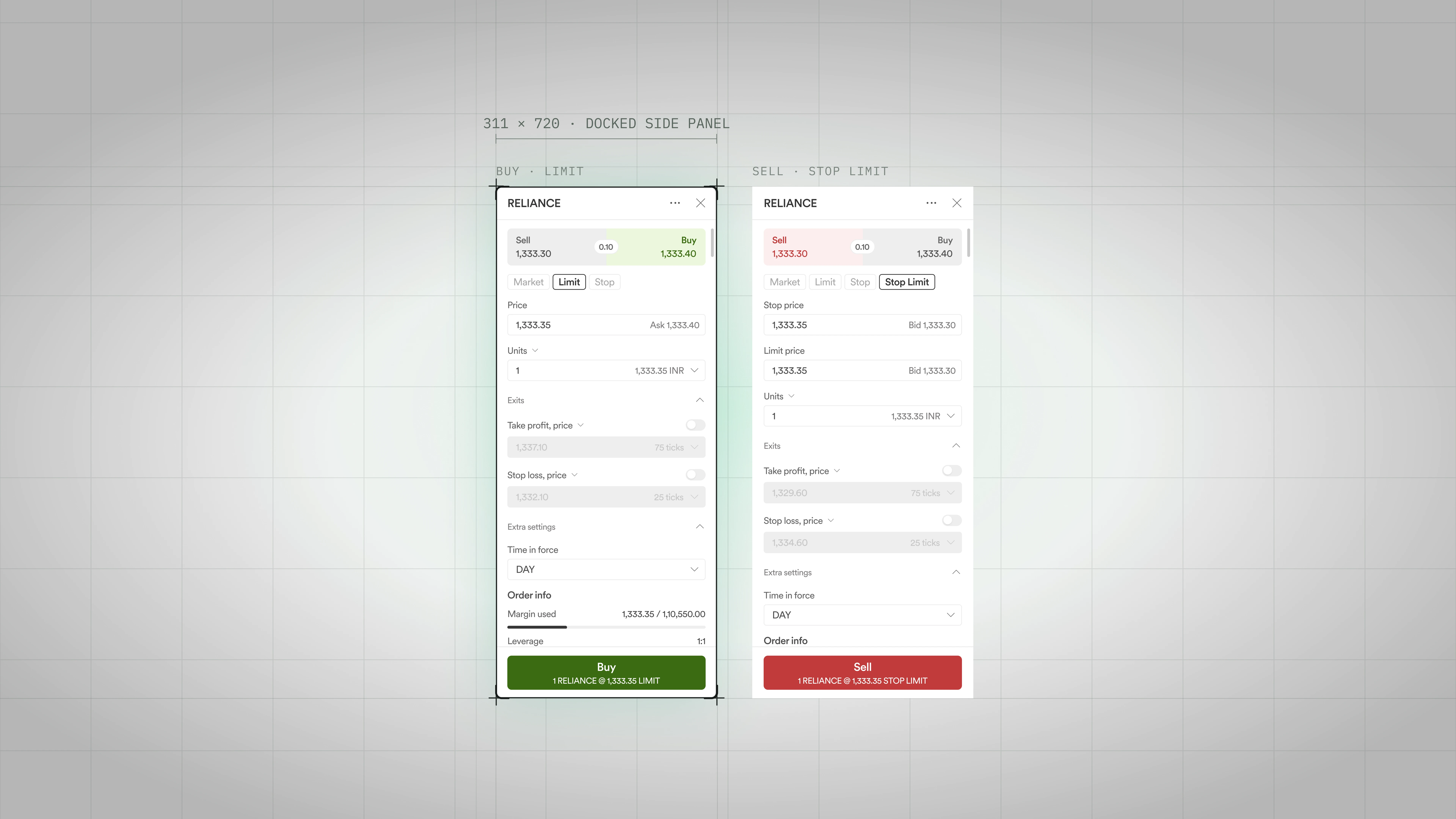
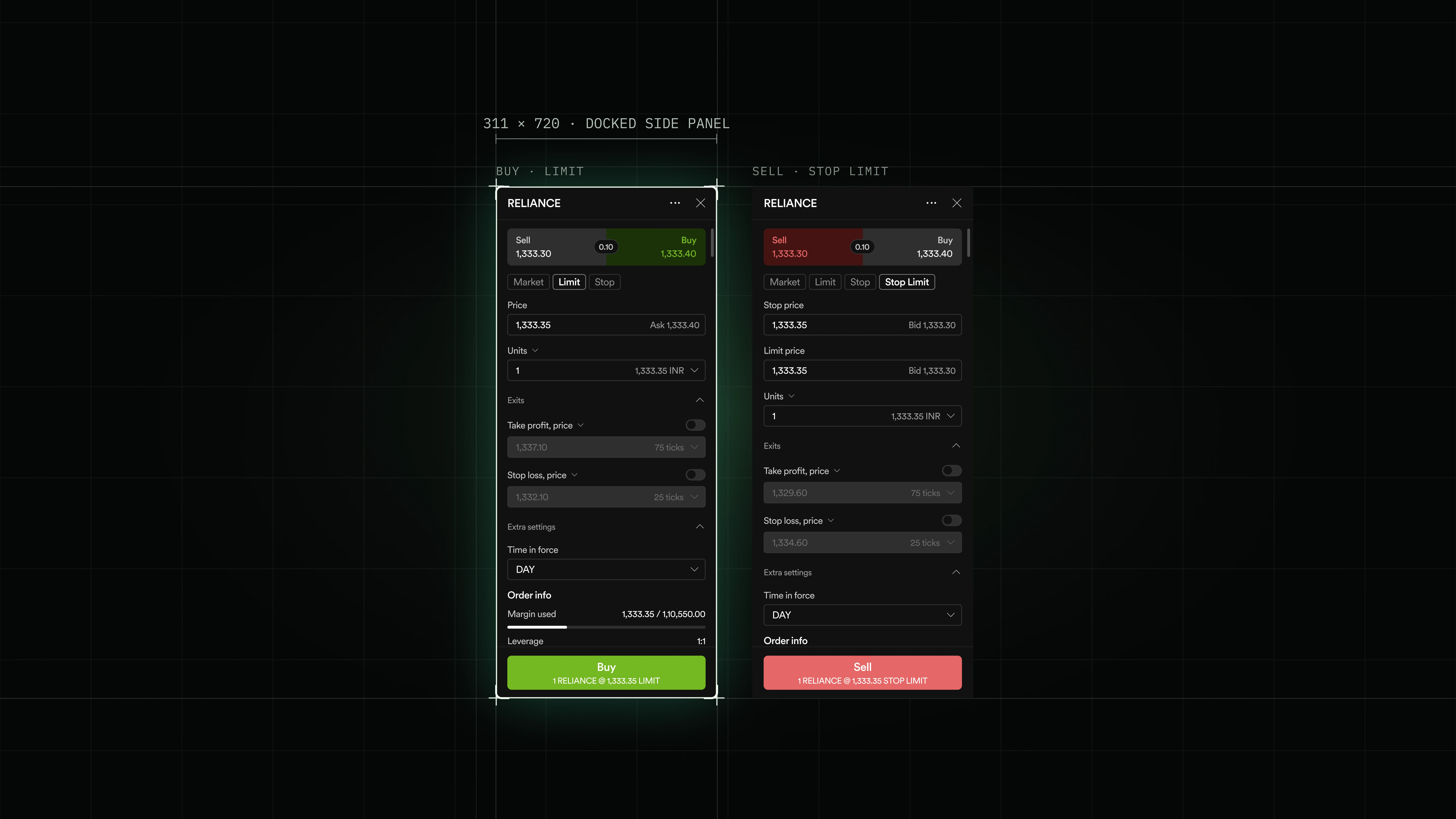
- Docked 311 wide panel with Market, Limit, Stop, and Stop Limit order types and collapsible Exits, Extra settings, and Order info sections.
- Take profit and stop loss are baked into the same shell as the entry, so bracket orders don't need a separate flow.
- Buy stays green and Sell stays red across the header, the action button, and every downstream toast, so intent is never ambiguous.
A build specification, not a description
- Every component ships with three artifacts next to it: a spec page, a semantics specimen, and the naming map, so engineering builds from the doc instead of interpreting a mock.
- Each doc is written to the same template, so the next component reads like the last one and no field is quietly skipped.
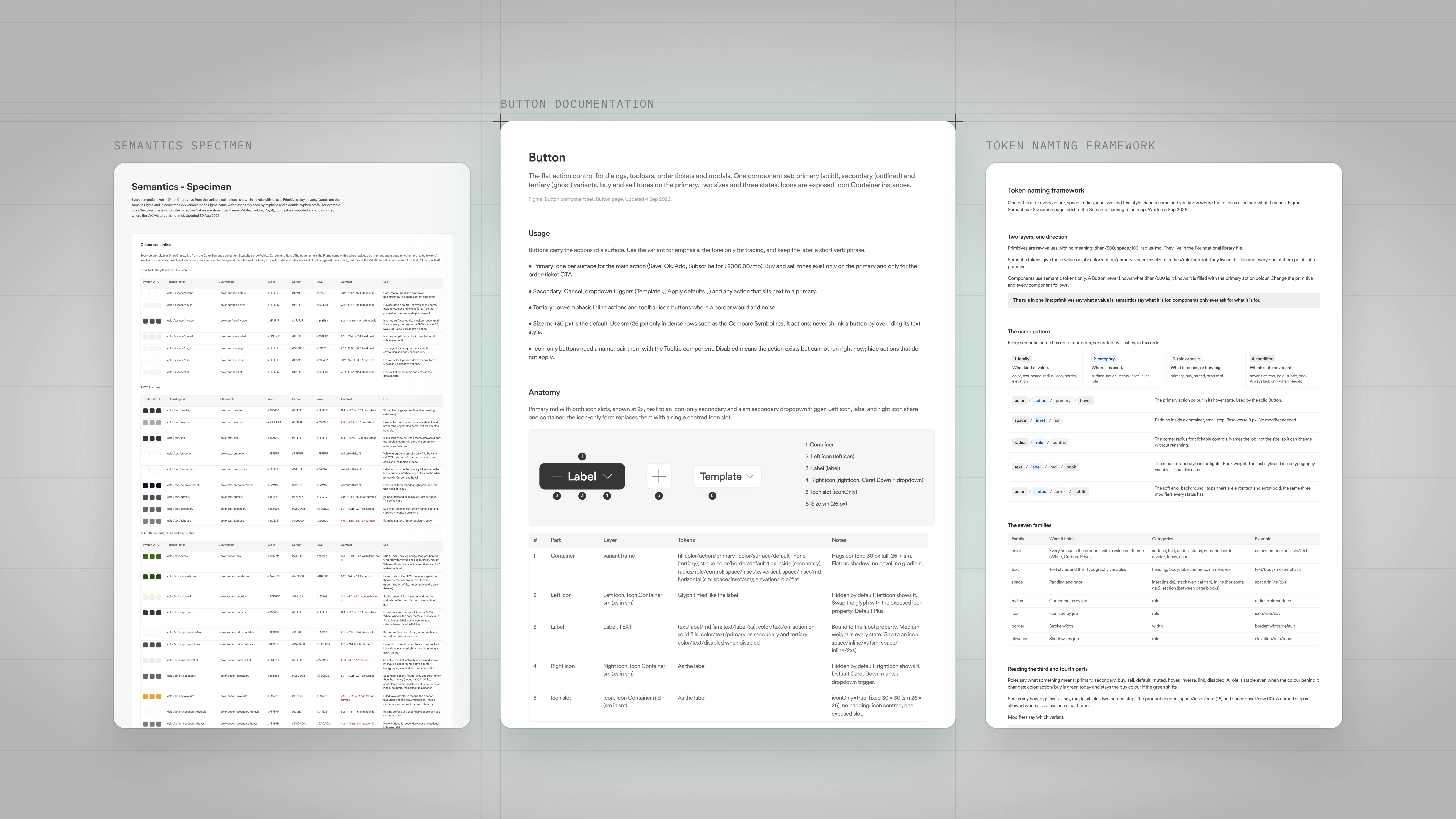
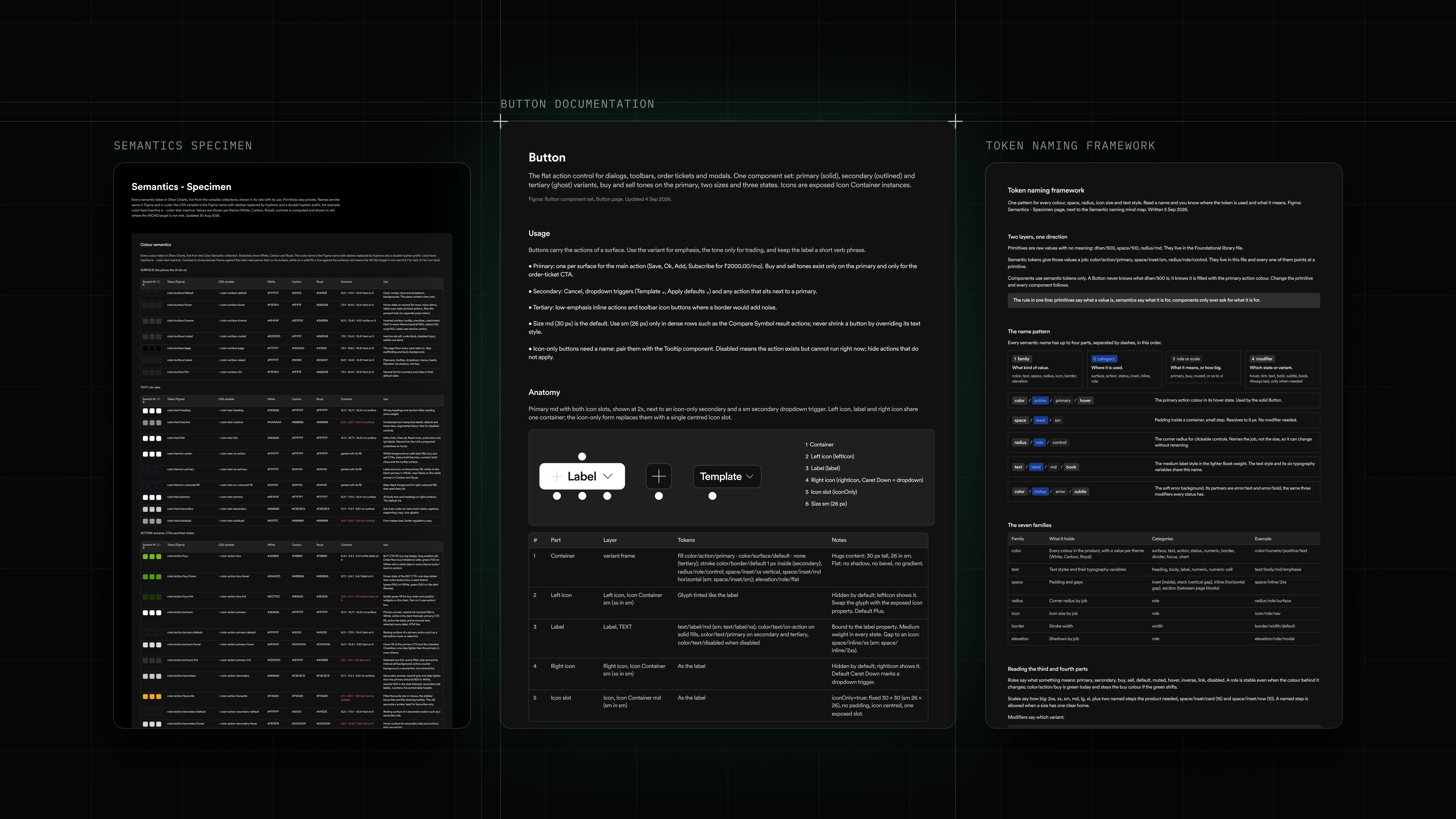
- Button Documentation: one of 30. What the block is made of, its settings, and the live matrix of every variation.
- Semantics Specimen: every colour and size with its value in each theme, its name in design and in code, and a readability score.
- Token naming framework: the naming rules, how every colour, size, and block gets one name that design and code share.
Recurring interactions, one grammar
- Patterns are the second layer: primitives composed into interactions traders recognize across the terminal.
- Menu, toolbar, modal, chart, bottom panel, data table, list panel, empty state, each pattern has one canonical implementation.
- Change the pattern once, every surface that uses it inherits the change. No drift, no per-screen re-litigation.
Menu · Time interval
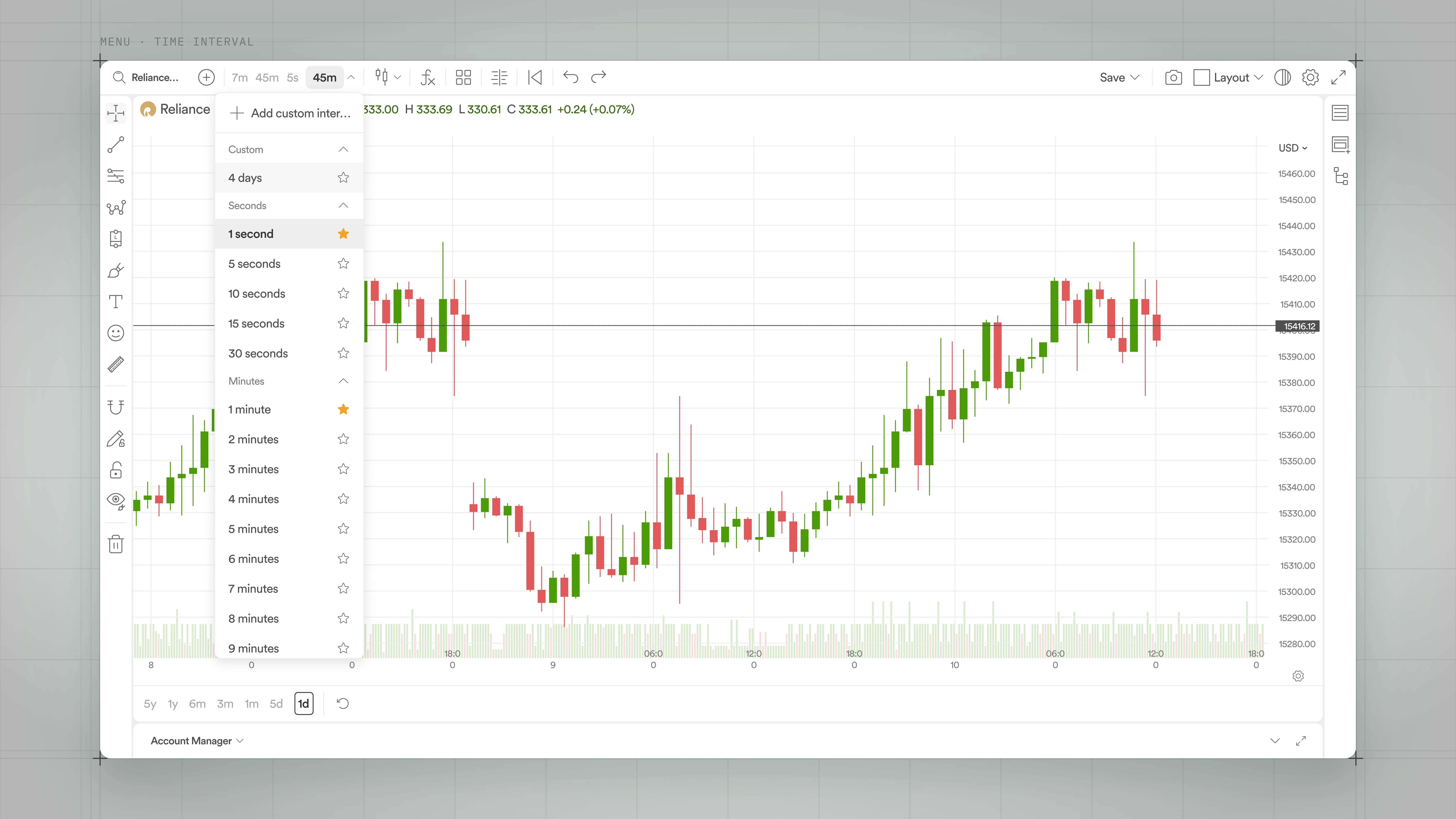
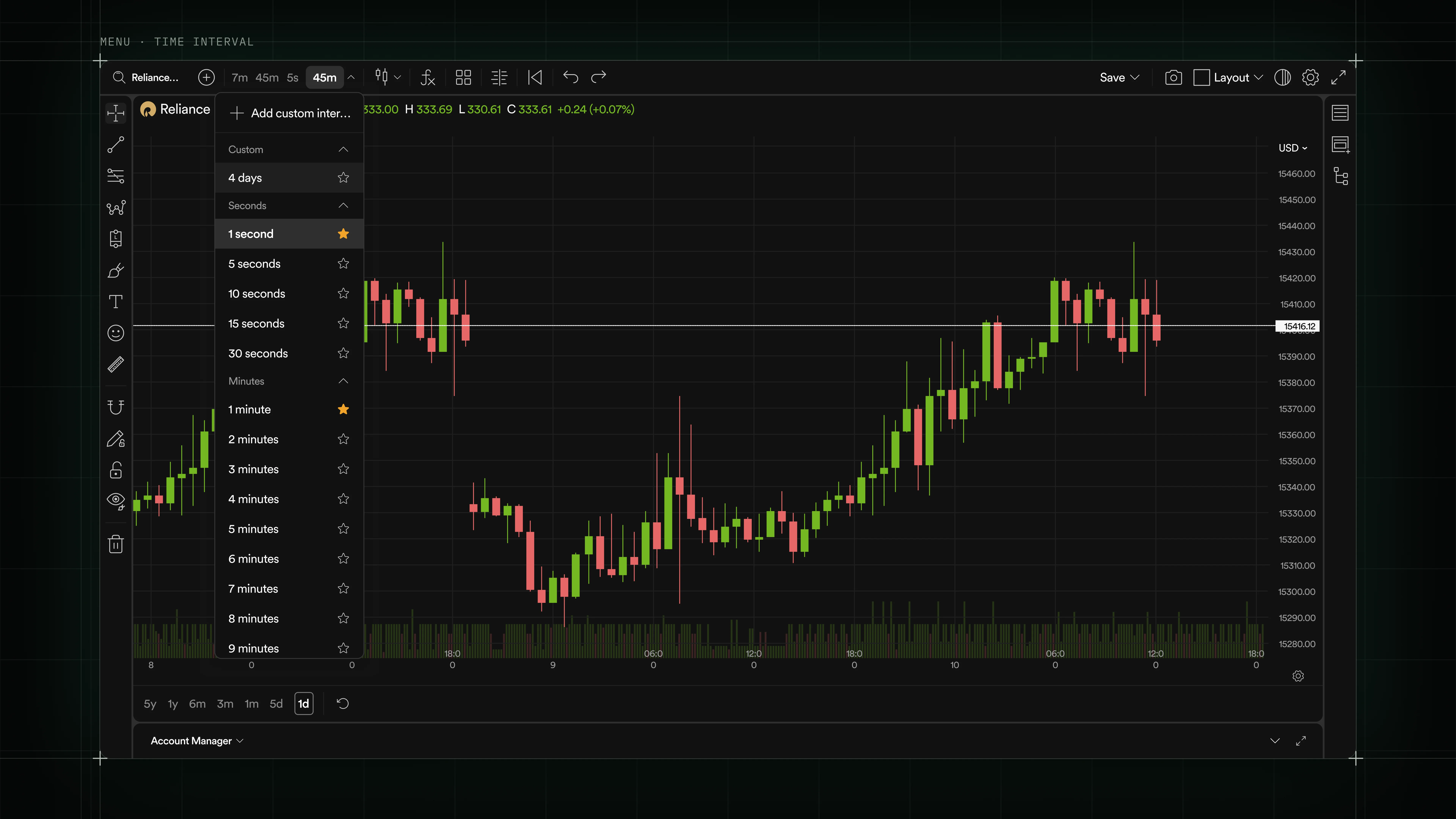
- Grouped, collapsible categories with inline favorites and an Add custom interval affordance for power users.
- Same shell powers every menu on the chart: interval, chart type, layout, and any list that needs categories plus search plus favorites.
- Preset buttons at the bottom let traders jump to common ranges without opening the menu.
Toolbar · Line settings
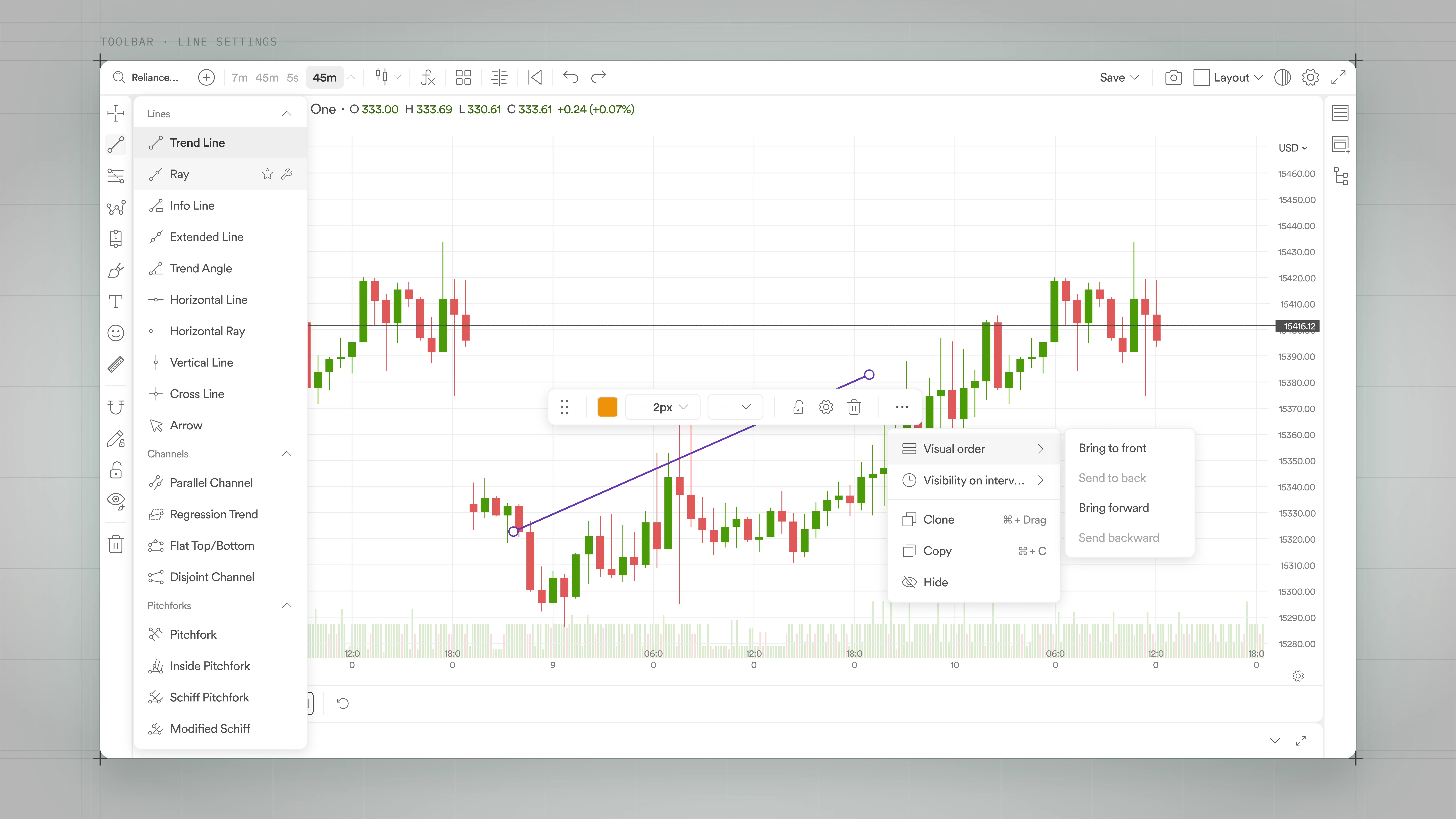
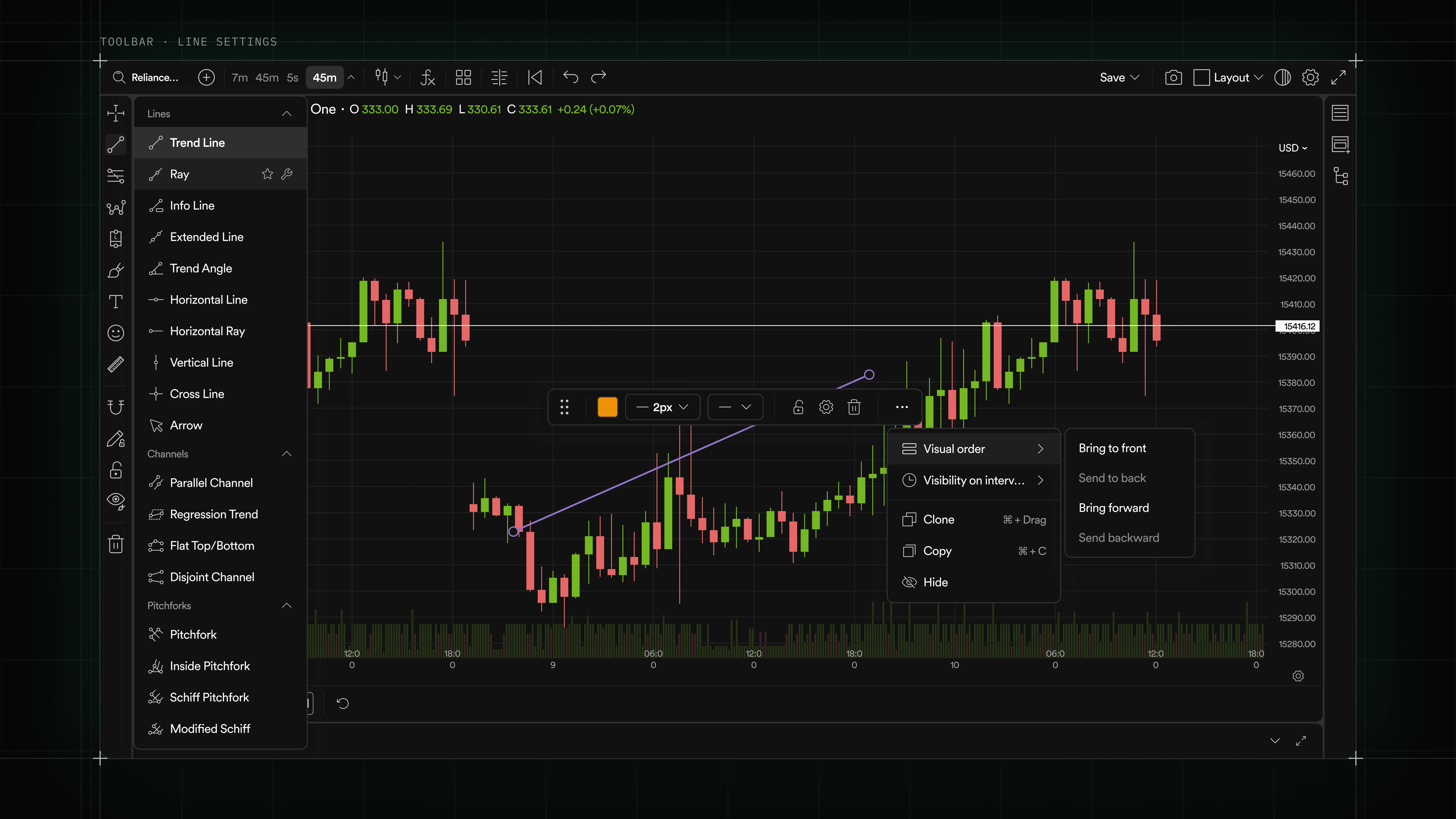
- Drawing tool palette on the left, per-object floating controls on the chart, and layered context menus for stacked drawings.
- Style, lock, delete, and visibility all live one click from the object, so traders don't reach for a sidebar mid-analysis.
- Visual order and interval visibility submenus keep multi-timeframe setups readable without hiding the tool.
Modal · Indicators store
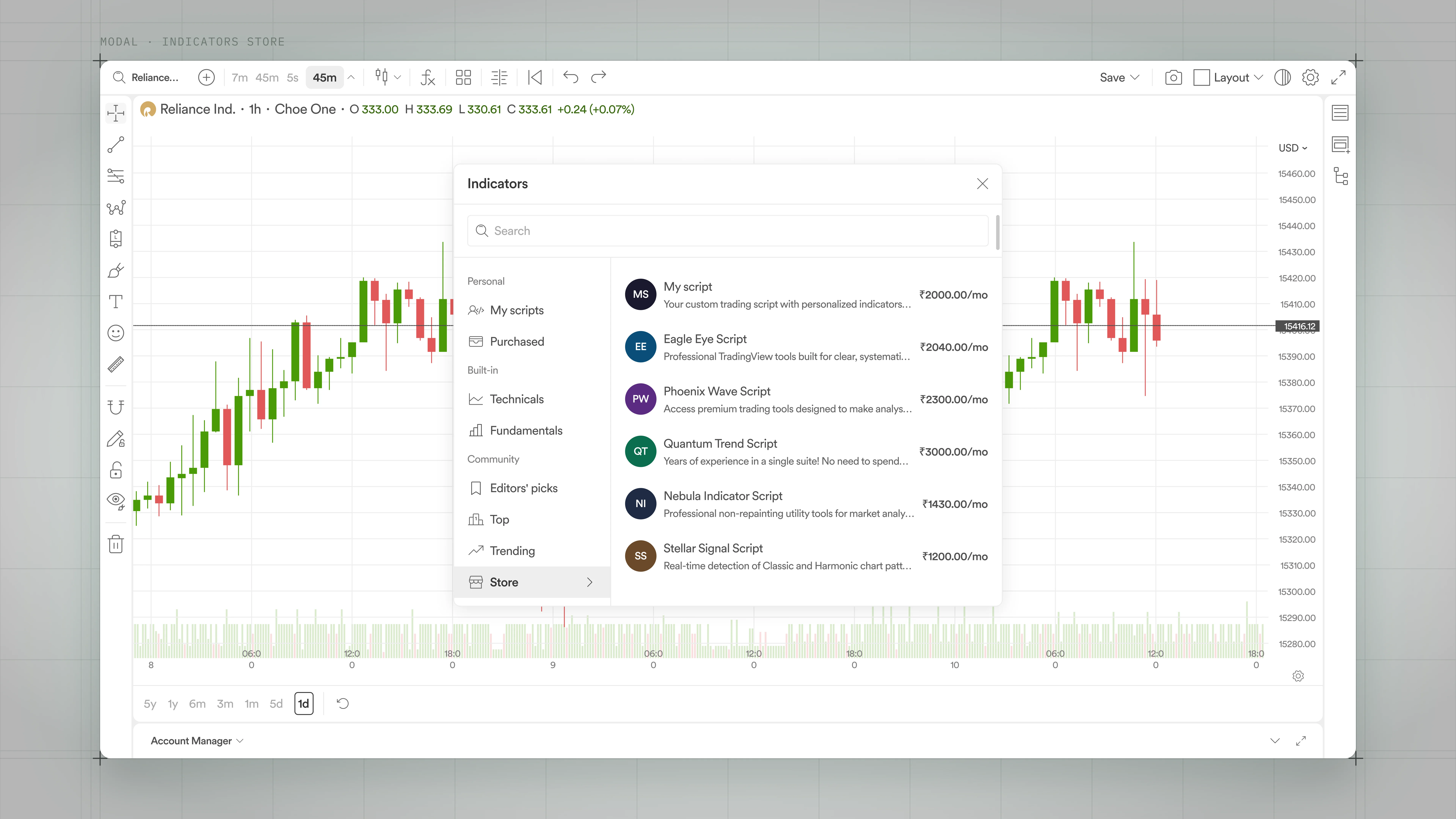
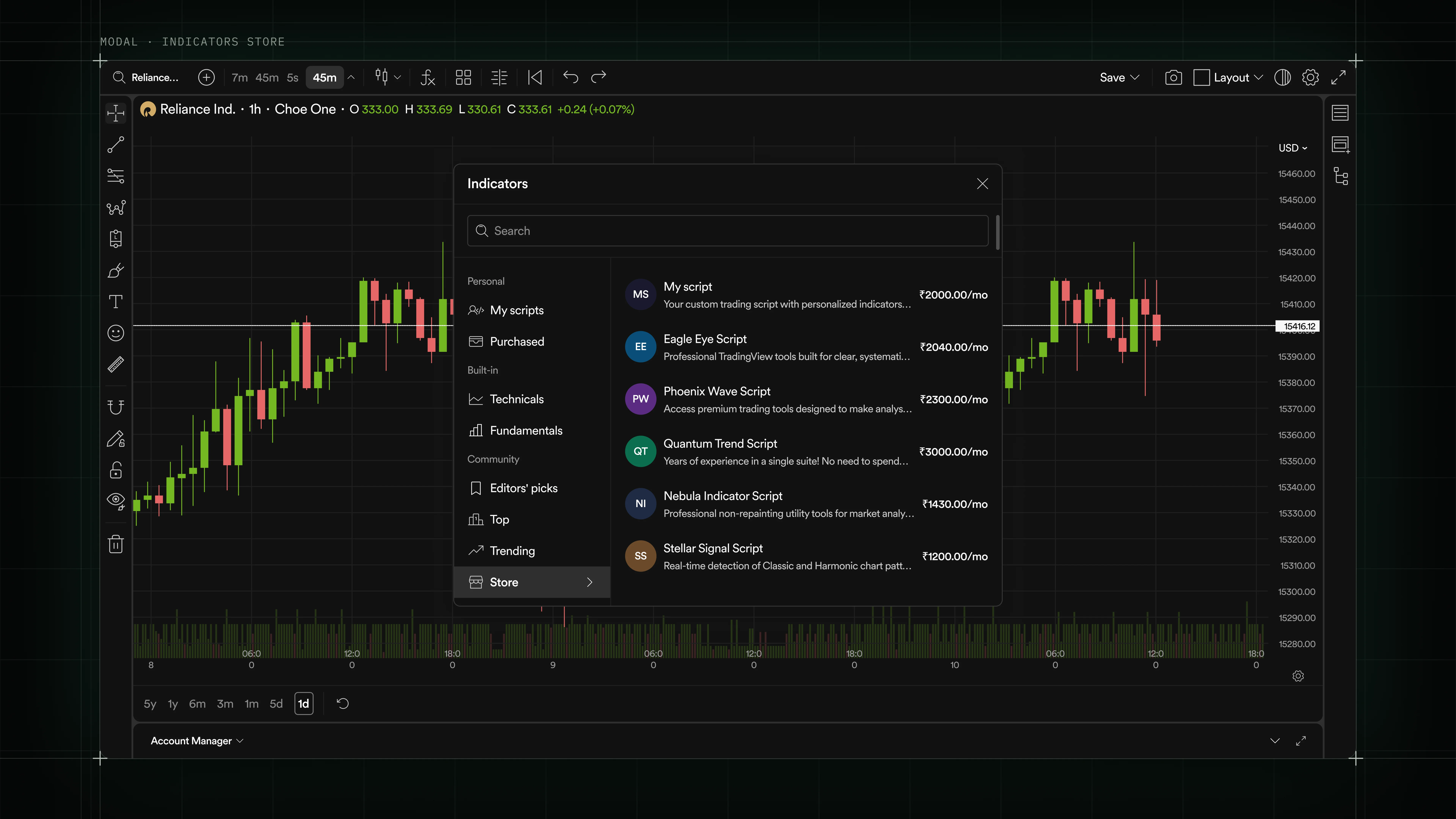
- Centered modal with a search bar and a two-column layout: sidebar categories on the left, results on the right.
- Same shell powers indicator discovery, script store, layout picker, and every deep-configuration surface.
- Category sections (Personal, Built-in, Community) scale from 2 items to hundreds without a redesign.
Chart · Order flow
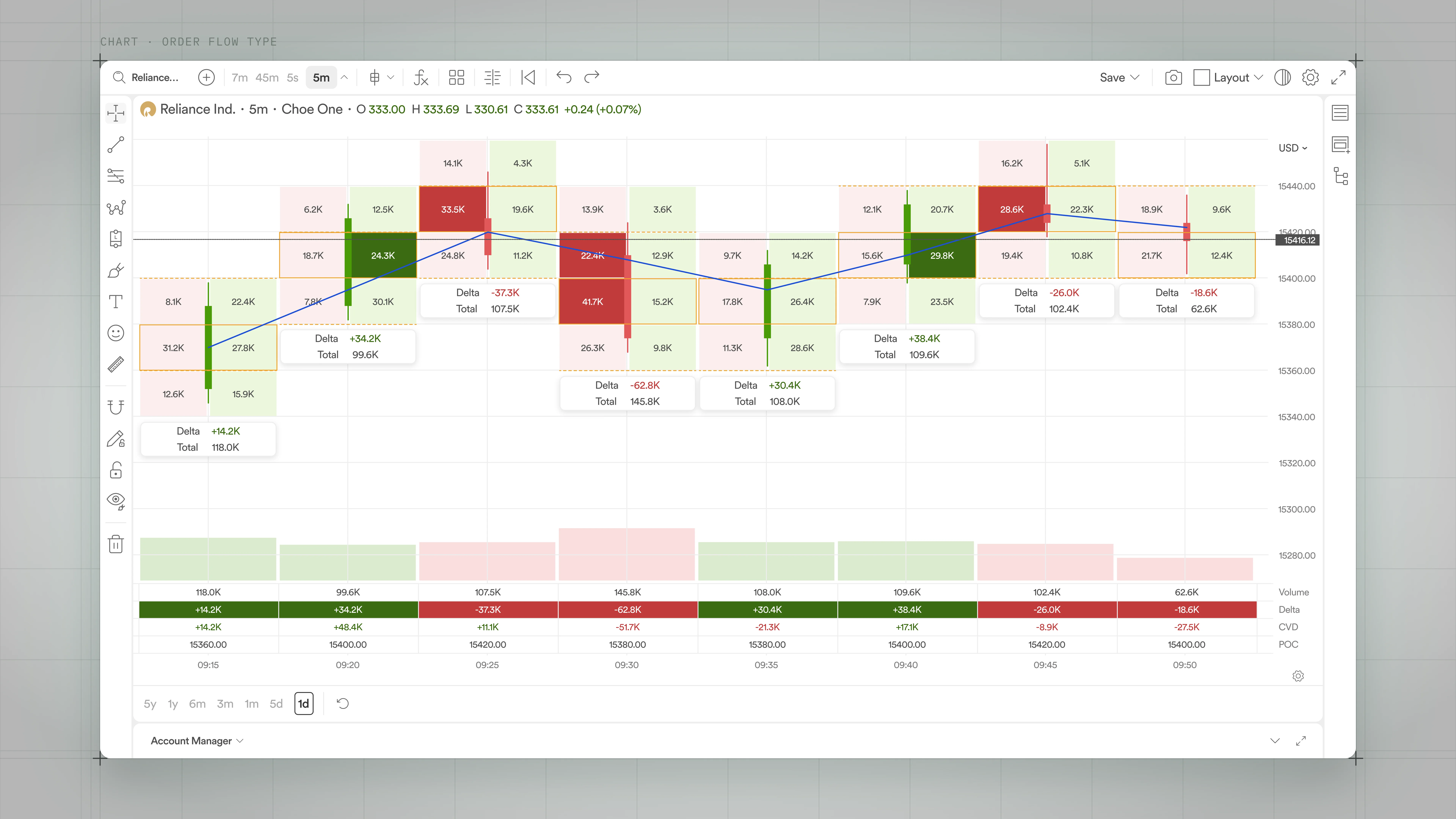
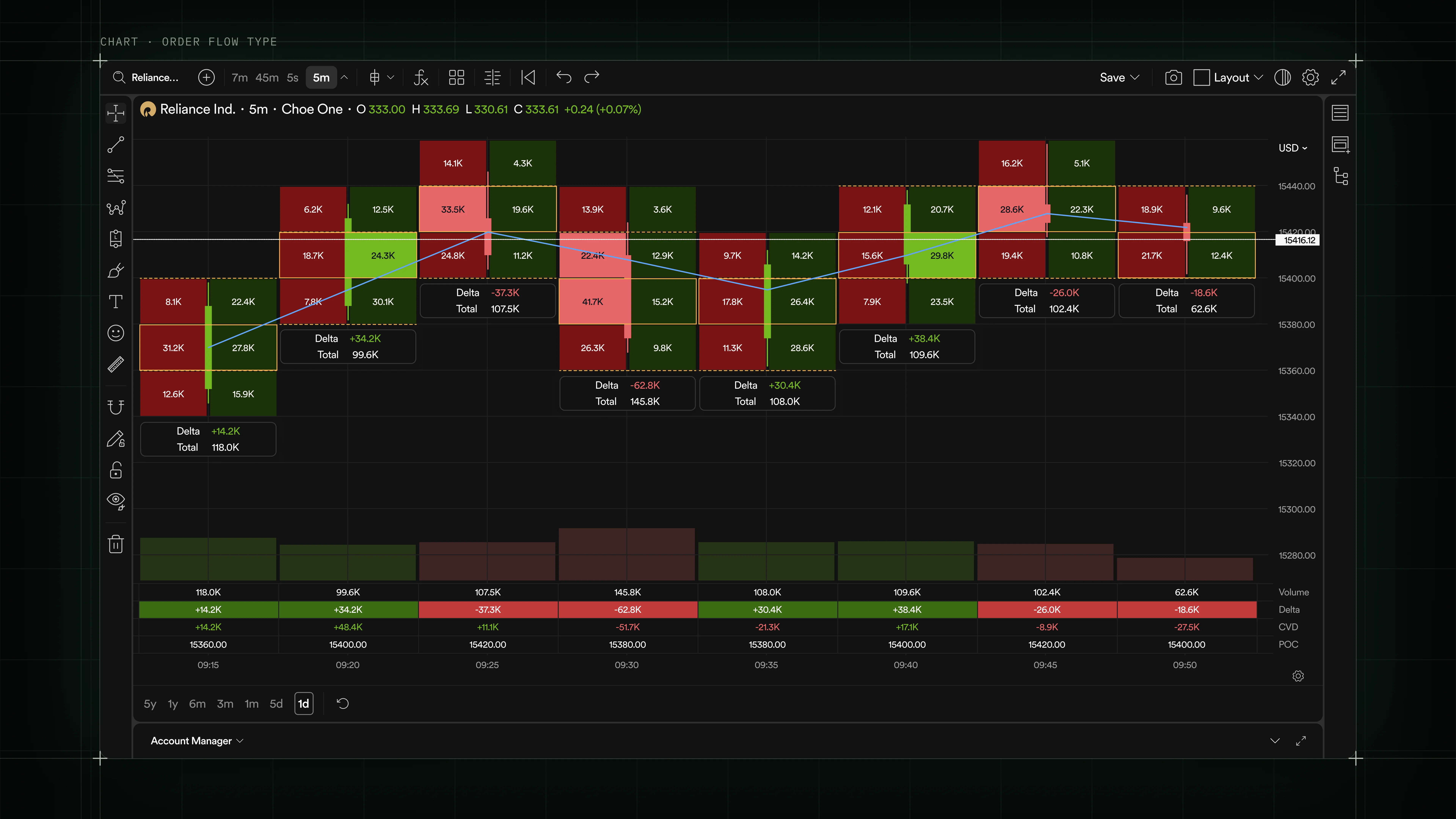
- Bid and ask volume printed inside each candle body, with Delta and Total called out at the bar level.
- Bottom strip aggregates Volume, Delta, CVD, and POC per interval, so microstructure reads without switching charts.
- Dense enough for a professional order-flow trader, legible at a glance for a discretionary one.
Bottom panel · Positions
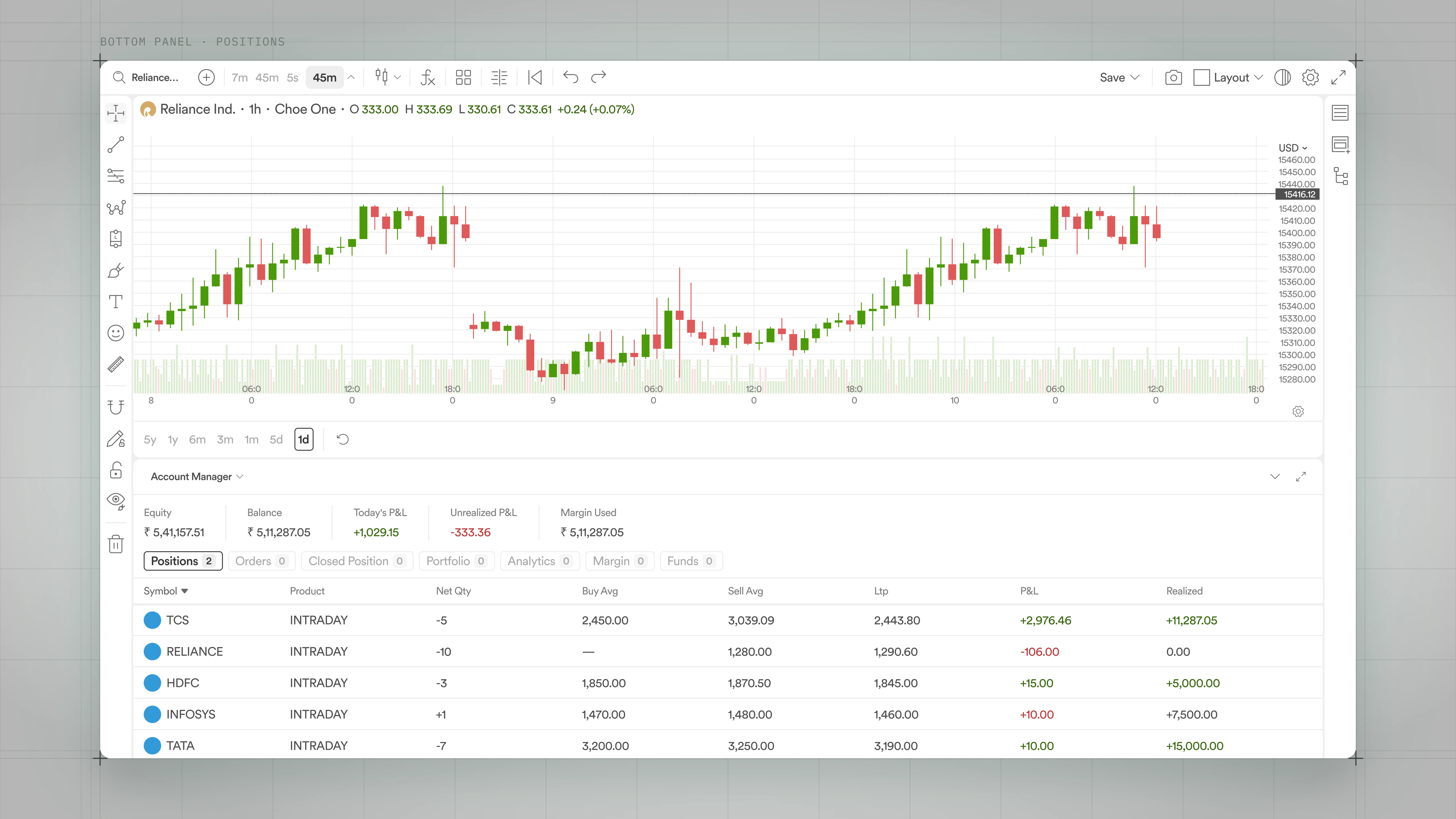
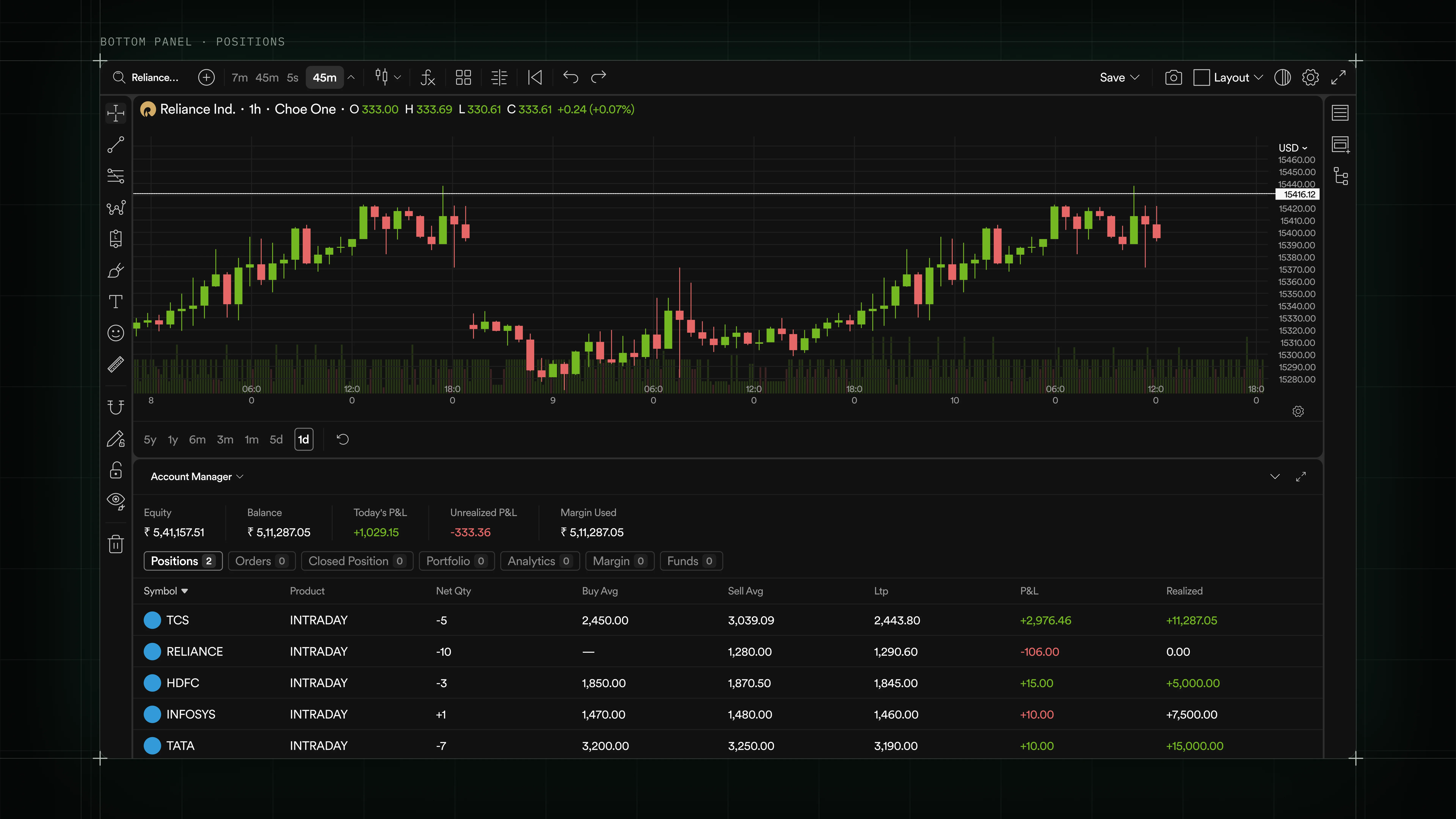
- Persistent account summary above tabbed views for Positions, Orders, Closed Position, Portfolio, and margin/funds.
- Trader-critical stats (Equity, Balance, P&L, Margin) stay pinned above the fold; the table underneath is scrollable and sortable.
- Same panel appears across every chart layout, so traders check state without leaving the analysis surface.
Data table · Option chain
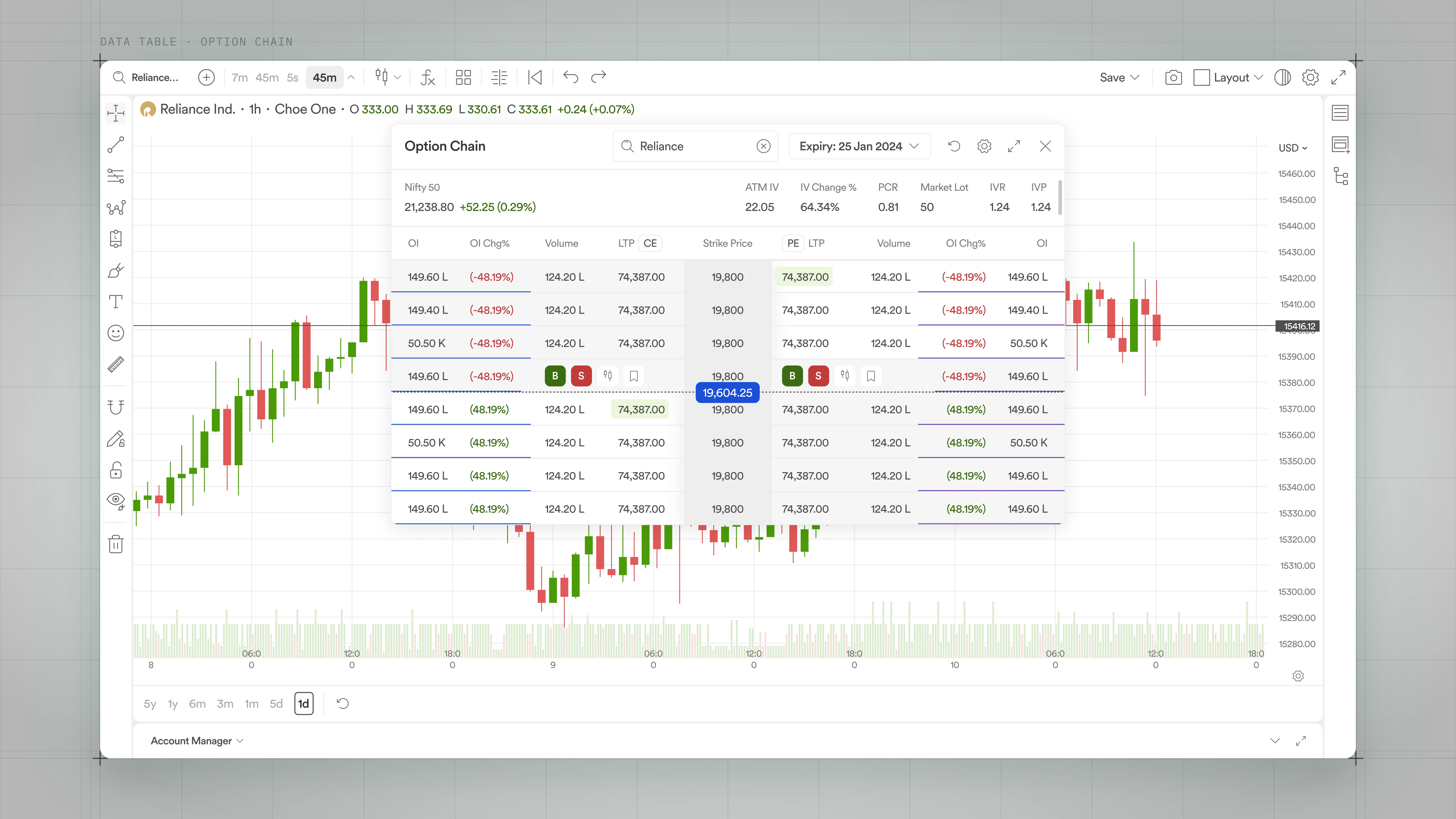
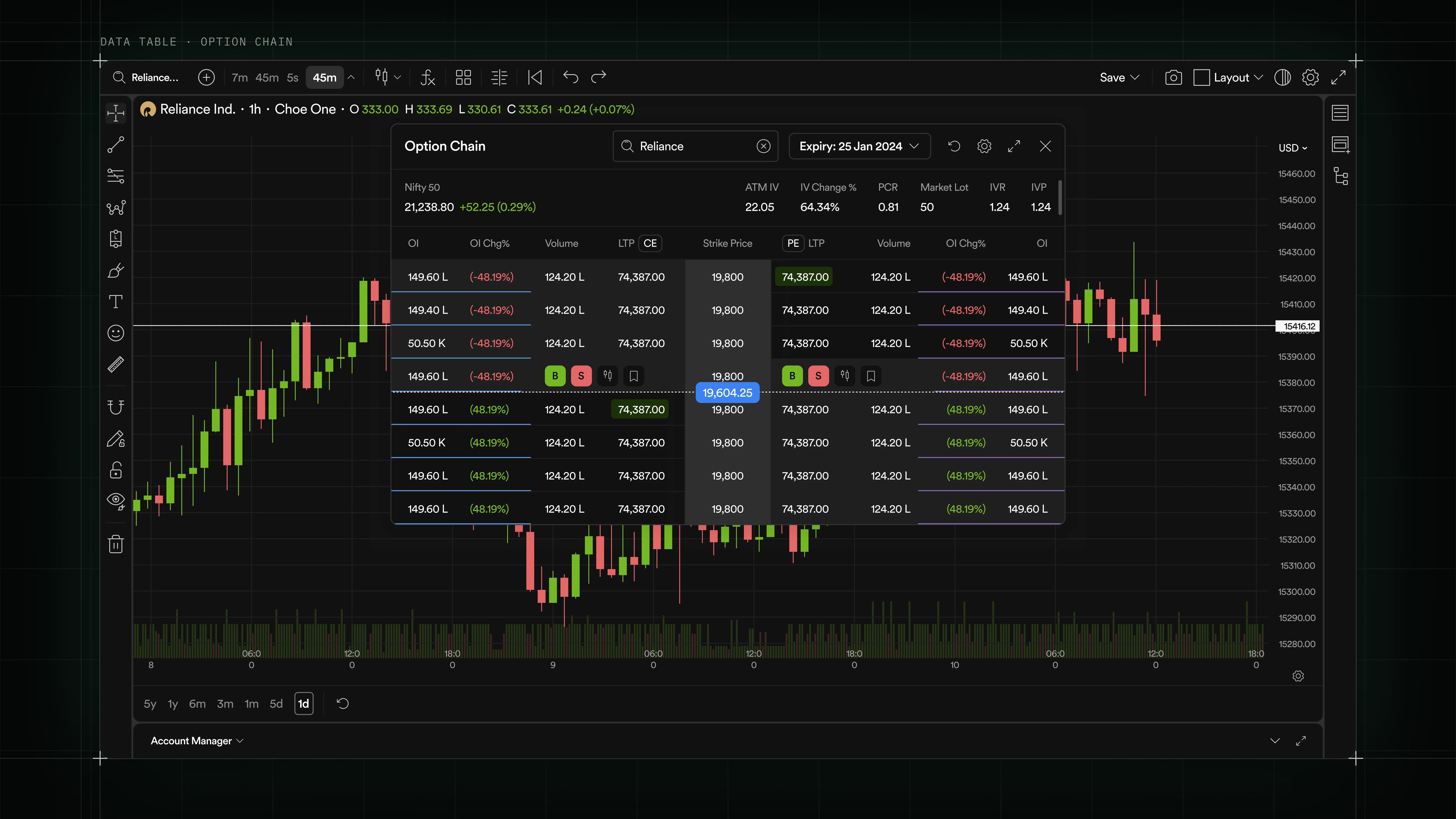
- Two-sided (CE / PE) grid built around a shared Strike Price spine, with color-coded OI change per row.
- Symbol search, expiry picker, IV/PCR/IVR/IVP stats, and inline B/S actions on the ATM row: one modal, everything an options trader needs.
- Same table shell drives Market Depth, Historical Data, and the Strategy Builder without a rewrite.
List panel · Watchlist
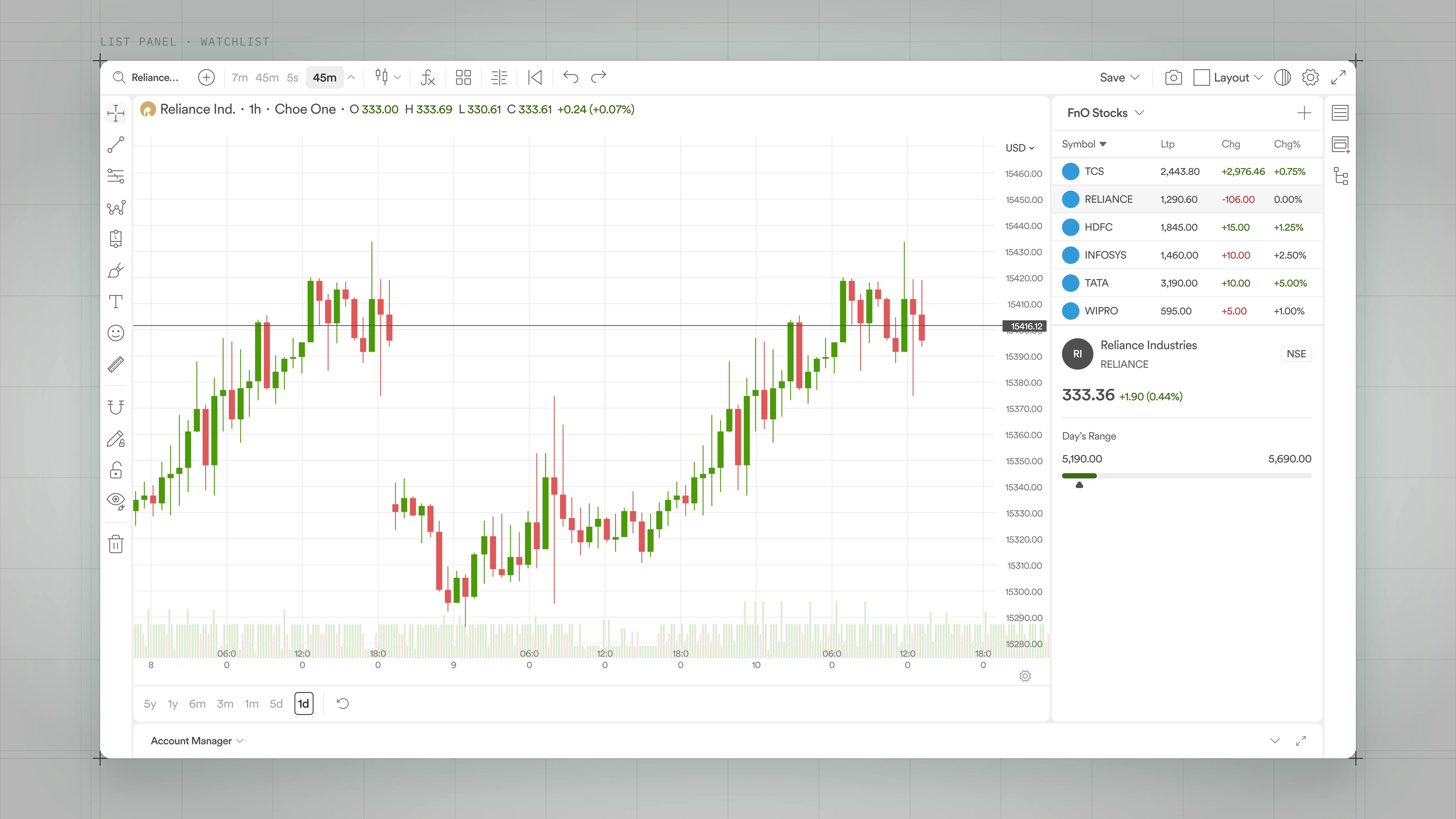
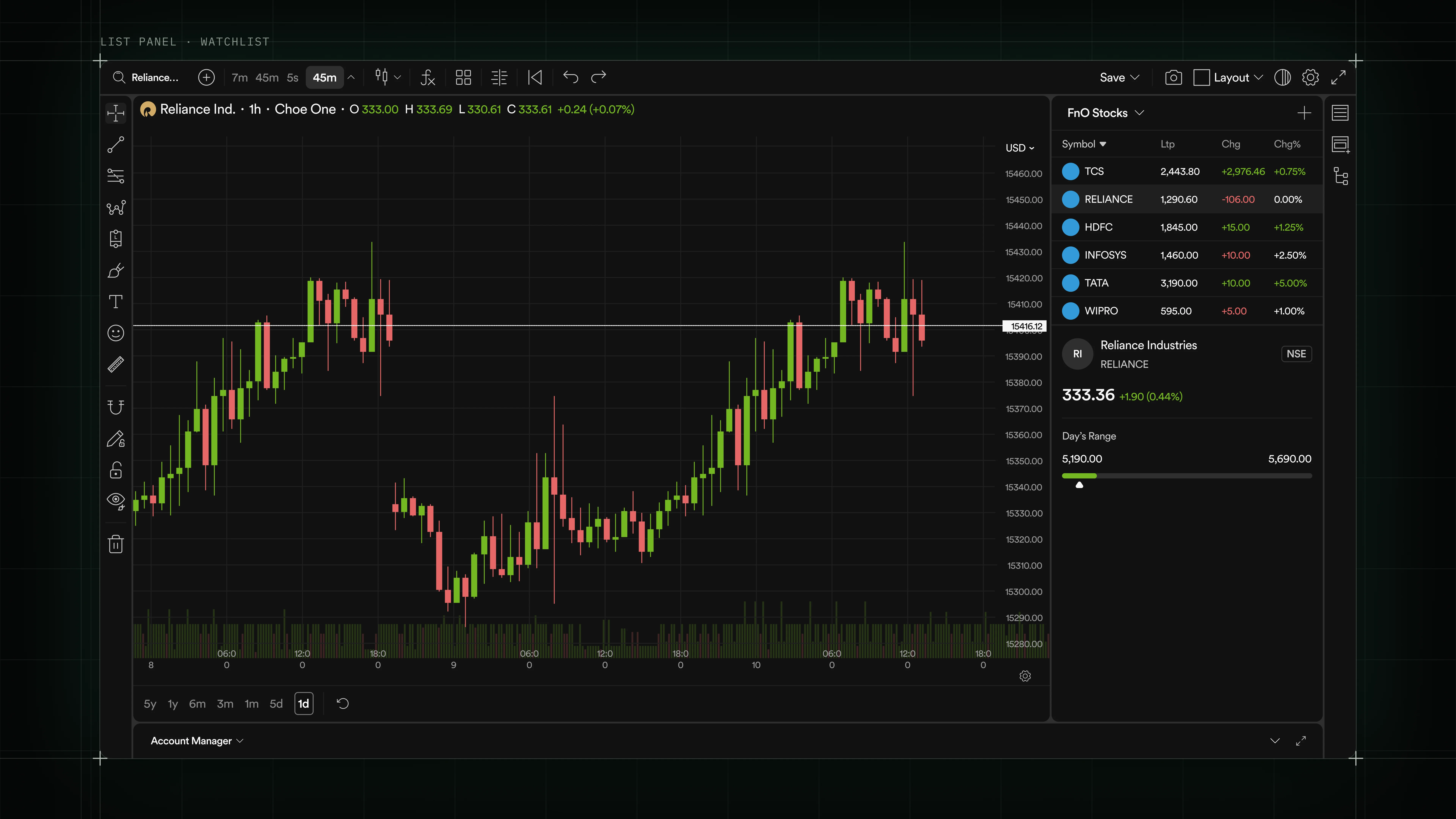
- Right-rail list that switches between Watchlist, Alerts, Symbol info, and Layouts without rearranging the chart.
- Row hover reveals inline actions; a click loads the symbol into the active chart.
- Detail block at the bottom summarizes the selected row (last price, Day's Range), so traders don't need a second click.
Empty state · No orders
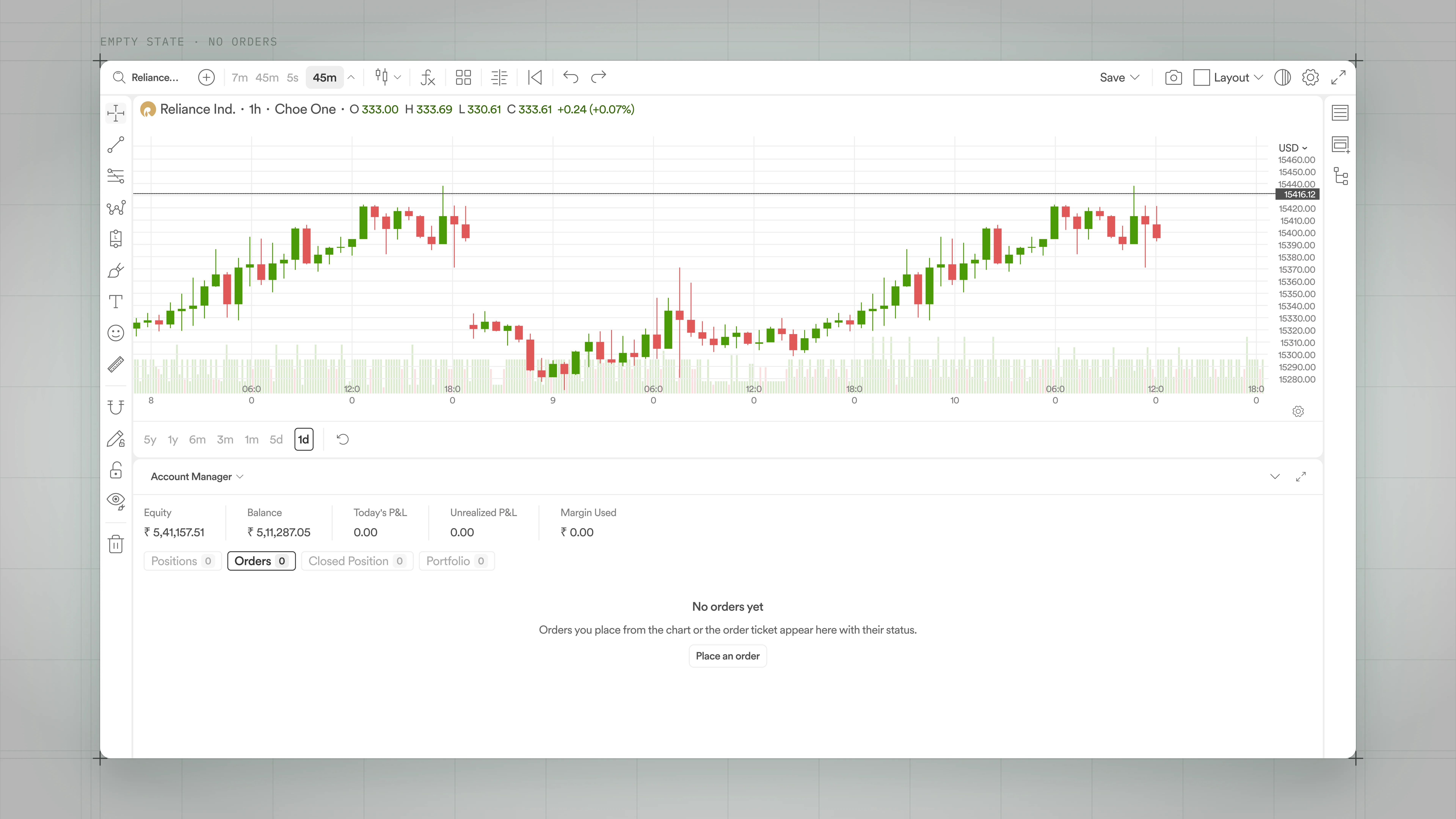
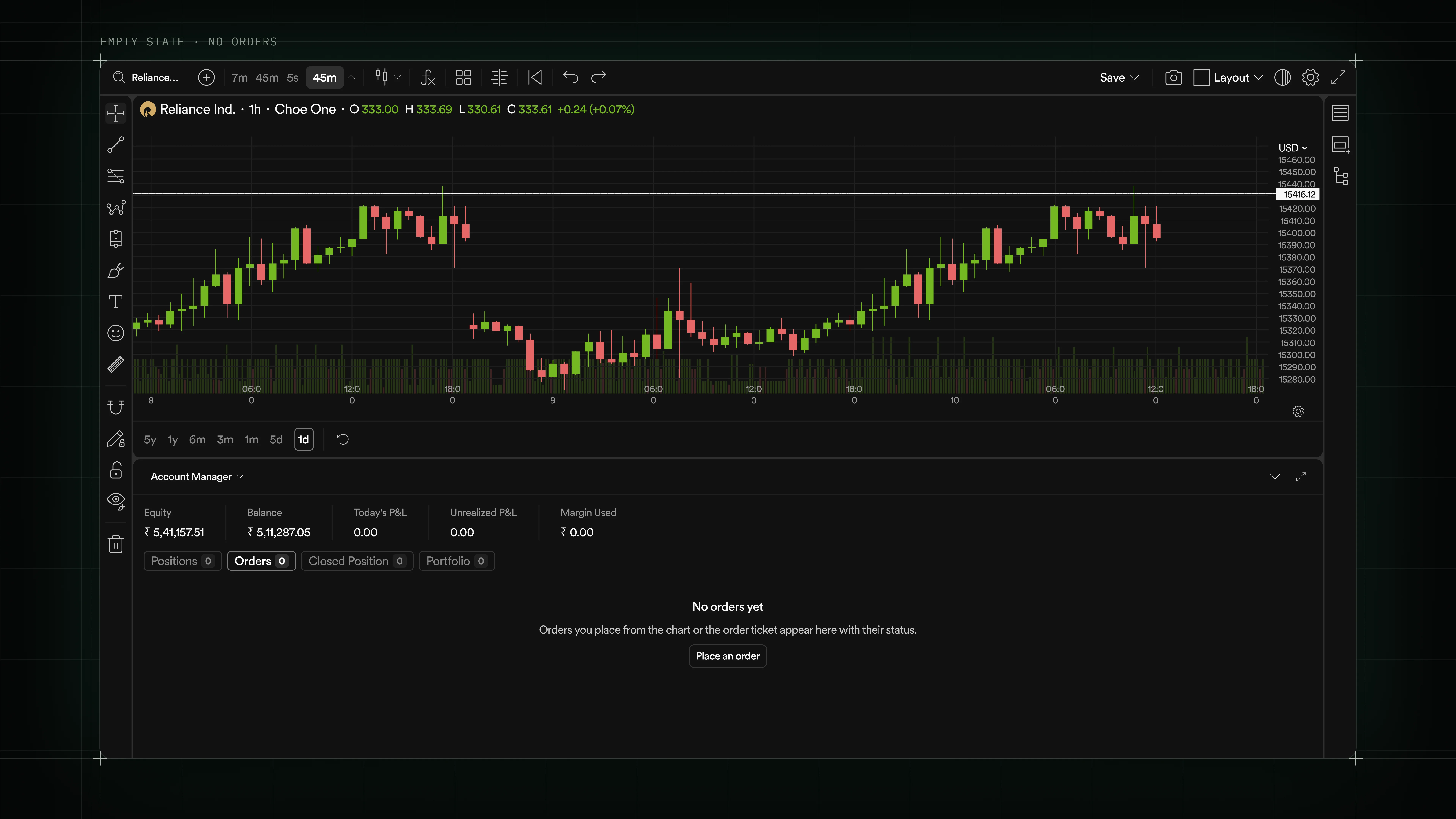
- Every list and table has a first-run and idle state: short headline, one line of context, one primary action.
- Copy tells traders what appears here and how it gets there, so nothing feels broken on day one.
- Same shell handles No orders, No positions, No alerts, and No layouts, so the terminal never dead-ends.
Iterating with an AI-assisted stack
As the system grew, I put together a small AI-assisted stack for iteration work. Claude holds the DS context and drives edits inside Figma through two MCP servers, with the spec generated on the way out. This clip shows the workflow adding new rows (Volume, Delta, POC, CVD) to the charts master component and (Delta, Total) to the order flow chart.
- Claude as client: holds context on tokens, components, and naming, and dictates the change from intent to file edits.
- Figma Console MCP by southleft: reads the Figma file and inspects the console for tokens, components, and errors, so Claude works against real state instead of guessing.
- Figma MCP: executes the edits inside Figma, keeping me out of repetitive component surgery.
- uSpec by Uber: auto-generates the component spec the moment the change lands, so engineering picks it up without a handoff meeting.
The DS ships faster when the tools that read it, edit it, and document it can talk to each other.
Adding Volume, Delta, POC, and CVD to the charts master component, and Delta and Total to the order flow chart, all driven from Claude
Preserving TradingView muscle memory
- Where we could match TradingView without a real cost, we did, drawing rail position, toolbar order, shortcuts, crosshair behavior.
- Where we diverged, we diverged with intent: inline order overlays, tighter density, native Dhan color grammar.
- Every divergence had to answer "what does the trader get that TradingView can't give them?"
Familiarity is a feature. Traders don't want a "better" chart, they want a chart that respects their instincts and then does more.
Light and dark from day one
- Trader theme preferences split roughly evenly, and switching mid-session is common.
- Every token, component, and state was designed in both themes in parallel, never "we'll add dark mode later."
White

Carbon

Royal

What this changed for the business
- Business: 2 vendor licenses (TradingView, ChartIQ) now optional, cutting recurring costs as adoption grows.
- Efficiency: 225 icons and 62 reusable components ship as 1 Figma library.
- Consistency: 1 Table powers 4 dense surfaces, 1 Menu powers every dropdown, 100% light/dark parity from day one.
- Risk: 0 forced migrations. Traders keep TradingView or ChartIQ via a switcher.
- Handoff: 1 versioned Figma library the Charts Pod consumes directly, with playgrounds for every prop.
What I Learned
- A charts DS isn't a token library, it's a stack. Tokens, primitives, chart-specific components, and interaction patterns each have different owners and failure modes.
- Familiarity is a feature. The design work is knowing where to hold the line and where to push.
- Owning the surface changes what you can ship. Inline order flow and Dhan-specific overlays become natural once the chart is yours.
Connecting design to code
- The design file is the single source: colours, sizes, and block specifications export straight into the code repository, and an automatic check flags any code that ignores the system.
- Still working out engineering adoption: the release process, the automatic gate, and the number that proves the system is actually being used.